![HRPS Logo1.png]](https://knowledgebase.hrperformancesolutions.net/hs-fs/hubfs/HRPS%20Logo1.png?height=50&name=HRPS%20Logo1.png)
To View Notes in Performance History:
Click Employee Documents.
Click Performance History.
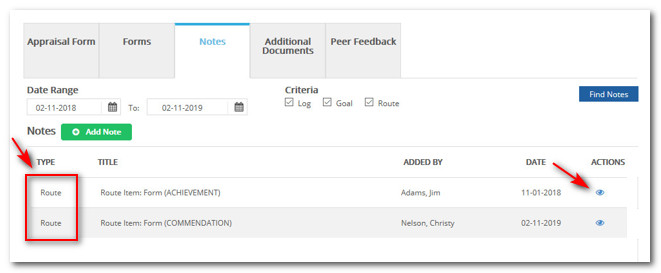
Click the Notes tab. Routing Notes will display "Route" in the Type column.
Click the view icon.
To View Notes on a Form:
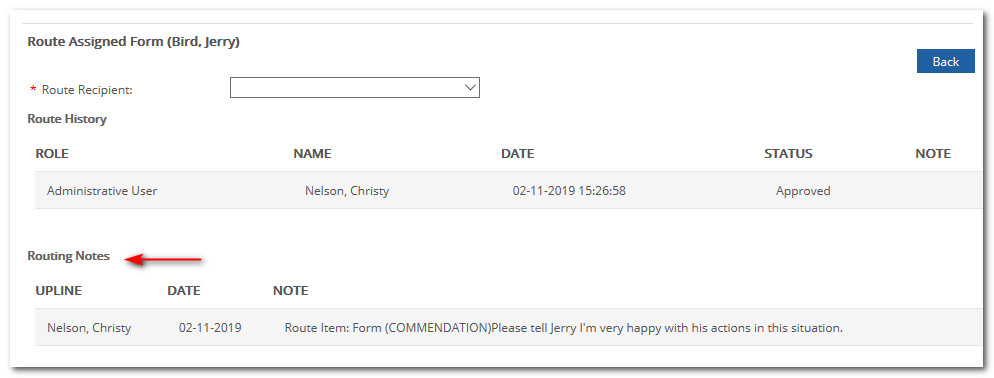
If the Note is related to a Form, it will also appear in the "Routing Notes" section.
When viewing the form, click Route.
To View Notes on an Appraisal:
Click Appraisals.
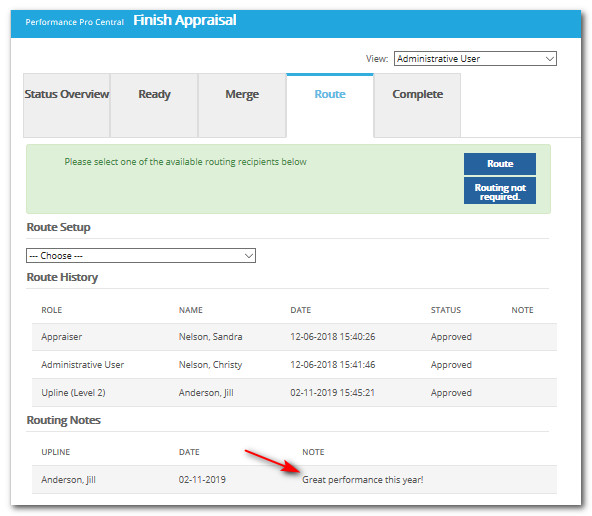
Click Finish Appraisal.
Click the Route tab.
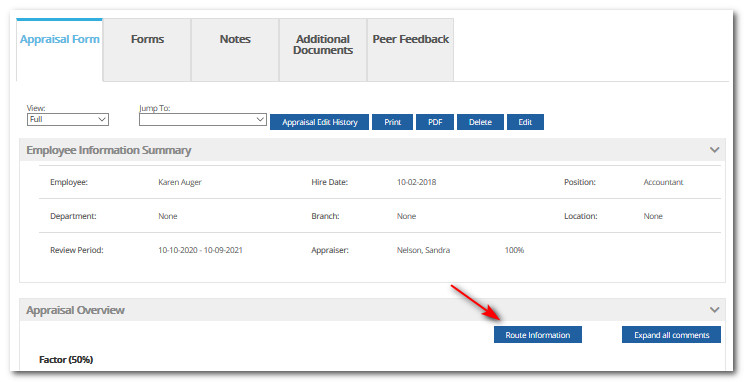
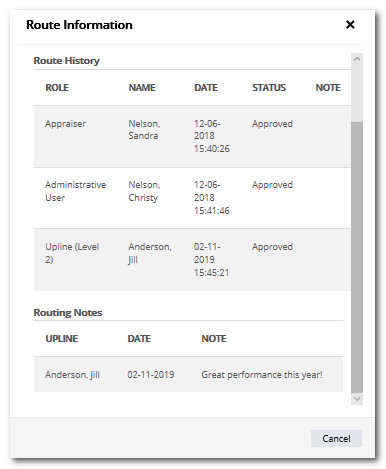
Appraisals viewed in Performance History will have a Route Information button. When clicked, the user will see the Route History and Notes for that appraisal.
Did this answer your question?