![HRPS Logo1.png]](https://knowledgebase.hrperformancesolutions.net/hs-fs/hubfs/HRPS%20Logo1.png?height=50&name=HRPS%20Logo1.png)
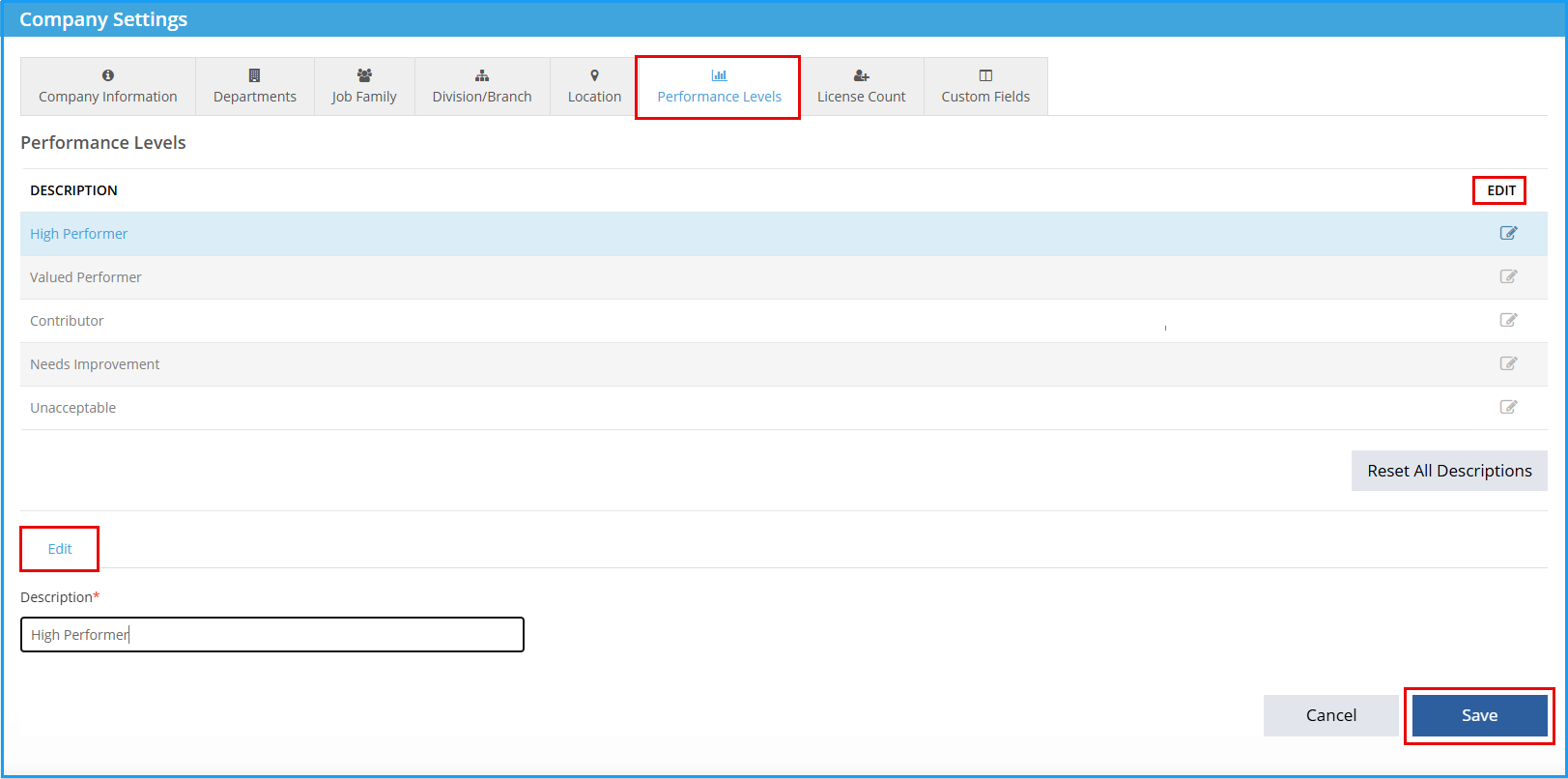
Company Master-->Company Settings-->Performance Levels:
-
Select Edit.
-
Complete edits in text box.
-
Select Save.
Please Note: If you are integrated with Performance Pro, performance level descriptions will be edited in Performance Pro.
-
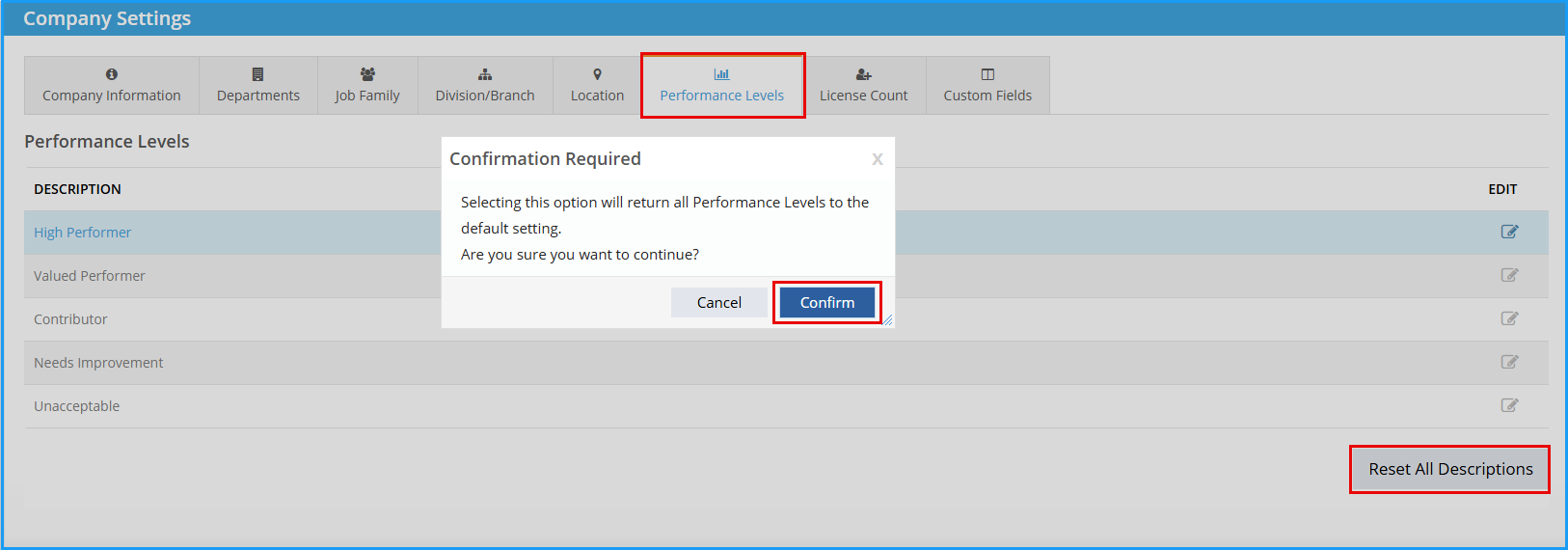
To revert performance level descriptions back to the default, select Reset All Descriptions.
-
Select Confirm.
See below for a video of these instructions.