![HRPS Logo1.png]](https://knowledgebase.hrperformancesolutions.net/hs-fs/hubfs/HRPS%20Logo1.png?height=50&name=HRPS%20Logo1.png)
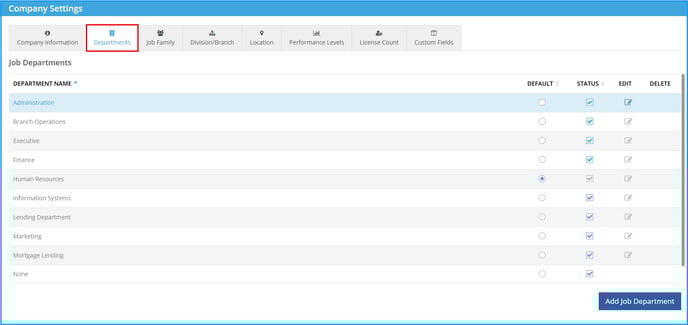
Company Master-->Company Settings-->Departments:
- Click icon to select Default.
- Check Status box to indicate Division/Branch is active.
- To edit, select the edit pencil. Edit description in the text box, click Save.
-
To delete, select delete icon. Select confirm. Note: Department cannot be deleted if an employee is currently assigned to that department in Employee Maintenance or in a current year Merit Plan.
-
To add new, click the Add Department icon. Fill in the text box, click Save.