![HRPS Logo1.png]](https://knowledgebase.hrperformancesolutions.net/hs-fs/hubfs/HRPS%20Logo1.png?height=50&name=HRPS%20Logo1.png)
NOTE
Keep in mind when you uncomplete a form it removes the completed date and time stamp as well as any completed e-signatures. Uncompleting the form will also update the employee data information on the form to the current information.
In the Administrator role, click Appraisals & Forms.

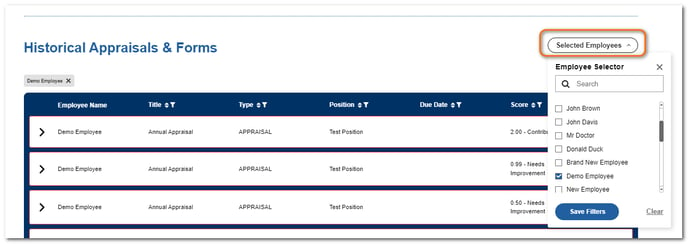
Scroll down to the Historical Appraisals & Forms table.
Click Select Employees, click the employee's checkbox, click Save Filters.
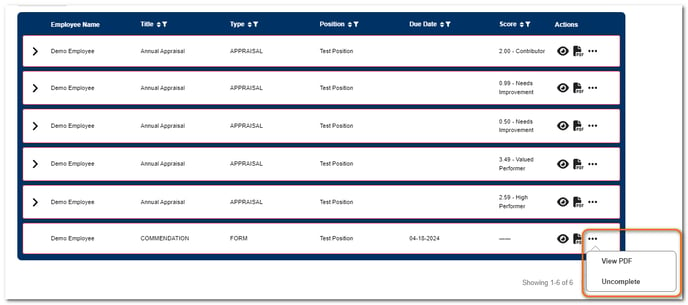
Click the ... in the Actions column beside the form. Click Uncomplete.
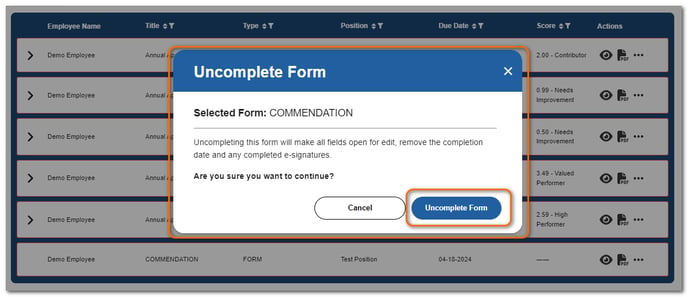
Click Uncomplete Form to confirm.
The form is now open for edits and re-completion.