![HRPS Logo1.png]](https://knowledgebase.hrperformancesolutions.net/hs-fs/hubfs/HRPS%20Logo1.png?height=50&name=HRPS%20Logo1.png)
NOTE
It is highly recommended that employees who leave your company are terminated in Performance Pro rather than deleted. Deleted employee information cannot be restored. However, terminating an employee will free up a license and allow you to use it for a new employee. If needed, a terminated employee can be reinstated along with their past performance data.
To Terminate an Employee
Click Employee Data.

Select the employee. Enter a date in the Termination Date field.
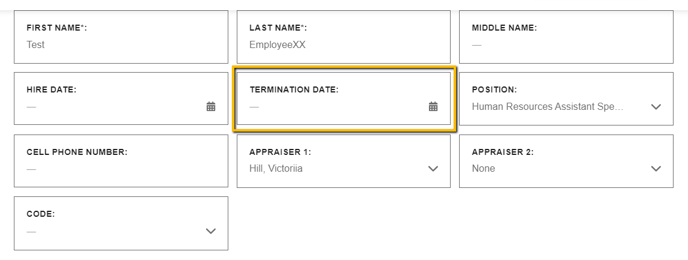
Click Save.
NOTE
You will not be able to terminate a user who is an appraiser if they currently have employees assigned to them. To terminate an employee with appraiser rights, you will need to re-assign the employees to a different appraiser and then perform the termination.