![HRPS Logo1.png]](https://knowledgebase.hrperformancesolutions.net/hs-fs/hubfs/HRPS%20Logo1.png?height=50&name=HRPS%20Logo1.png)
To apply additional privileges for a Manager or to add a Full Administrator
- Select Employee Data
- Search for the employee name with the search tool or choose the Employee record and click the Edit
 icon.
icon. - Scroll down to Privileges and use the Access Level dropdown to select their security level and check any applicable boxes the employee needs access for.
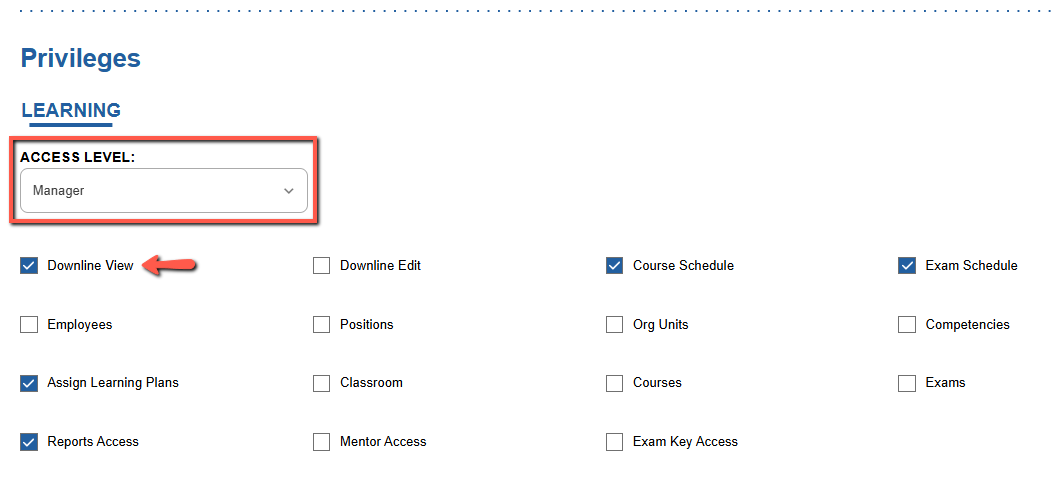
- Scroll down and click Save to activate the new settings. The employee may need to log out and back into the site to view the changes.