![HRPS Logo1.png]](https://knowledgebase.hrperformancesolutions.net/hs-fs/hubfs/HRPS%20Logo1.png?height=50&name=HRPS%20Logo1.png)
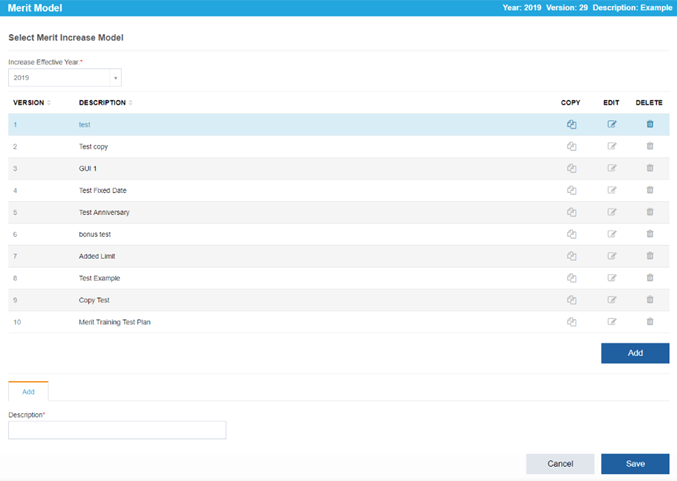
Merit Increase Planning-->Merit Model-->Select Model:
For an Existing Model:
Select the model description to take you to the View/Edit Matrix screen. Click the Edit pencil to change the title of your model.
For a New Model:
-
To create a new model, click Add and then create a title in the Description field.
-
Click Save.