![HRPS Logo1.png]](https://knowledgebase.hrperformancesolutions.net/hs-fs/hubfs/HRPS%20Logo1.png?height=50&name=HRPS%20Logo1.png)
Settings-->Salary Structure
The application is designed for you to build your own salary structure and salary ranges. It is formatted to allow you to enter a custom minimum, midpoint, and maximum. Hourly and salary midpoints will automatically calculate based on a standard 40-hour work week.
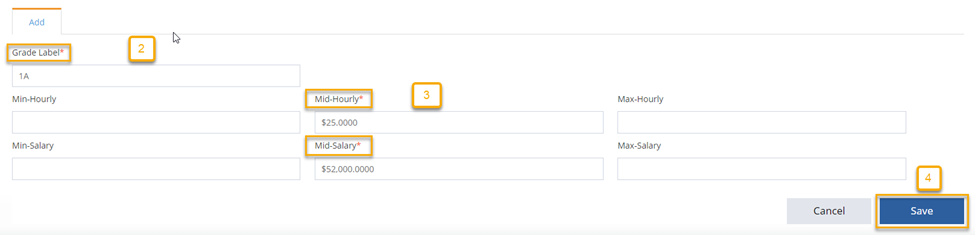
Manually create your salary structure:
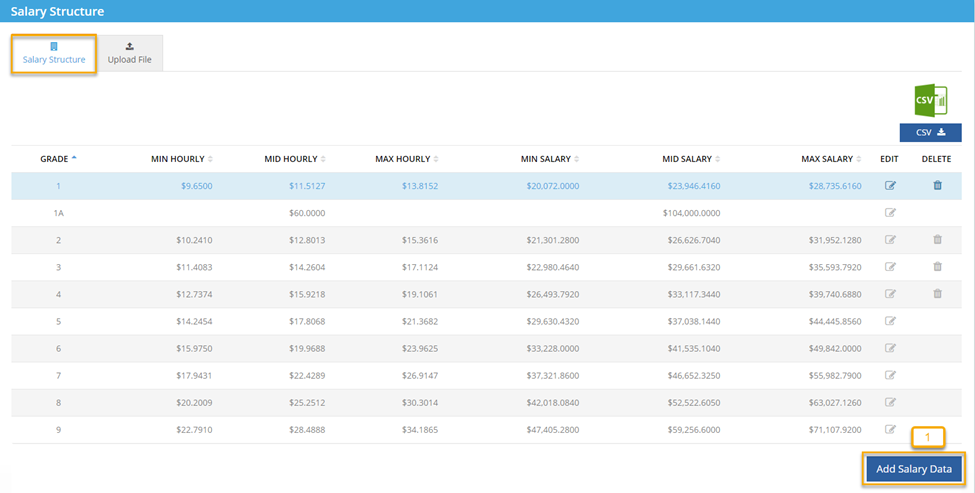
- Salary Structure
- Add Salary Data
- Create Grade Label
- Enter Grade Minimum, Midpoint, and Maximum or Just the Midpoint
- Save
Importing your salary structure:
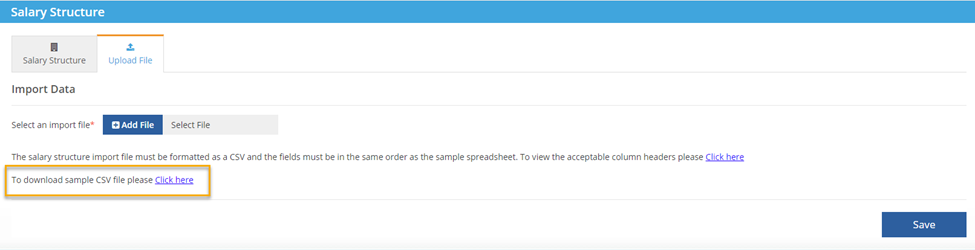
Salary structure import template is available for download in the application.
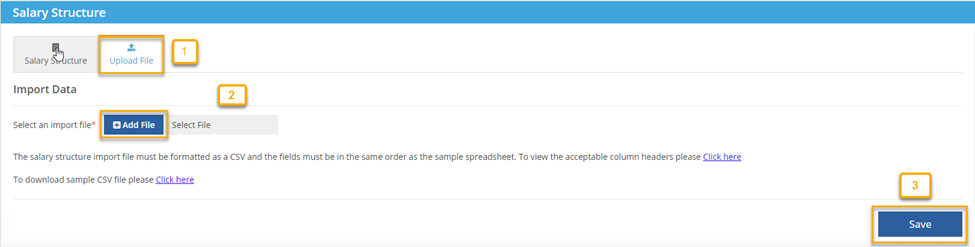
- Upload File
- Click here to download
- Enter Grade, Minimum, Midpoint, and Maximum or just the Midpoint
- New Grade Label gives you the option to change Grade Label through the import. If you are not changing the Grade Label, leave column blank.
- Enter your Full Salary Structure, Grade Label Changes, or new Salary Structures only.

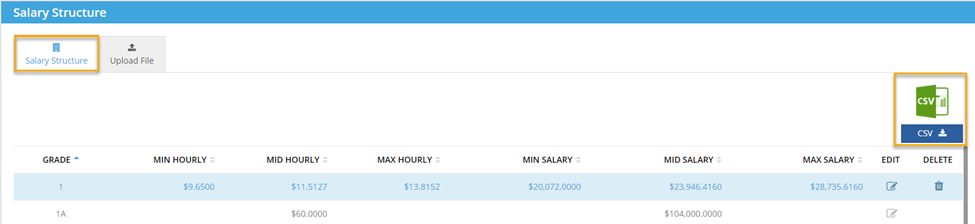
Current Salary Structure can be downloaded.
- Salary Structure
- Click CSV
- NOTE: If you are using your current salary structure as your template, add the column Grade Label Change and leave column blank if there are no changes.
- NOTE: If you are using your current salary structure as your template, add the column Grade Label Change and leave column blank if there are no changes.
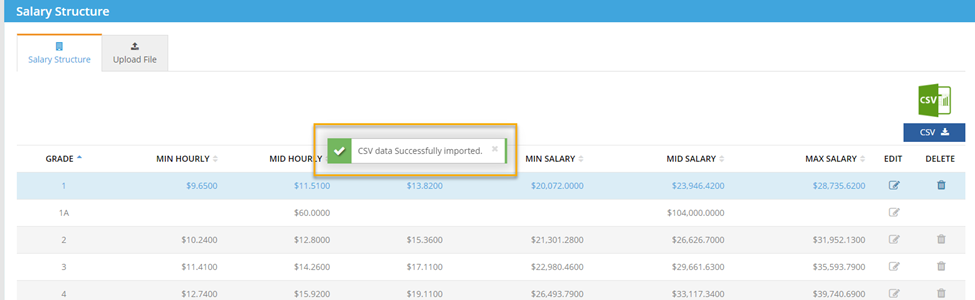
Import
- Upload File
- Add File (Select file from your network)
- Save
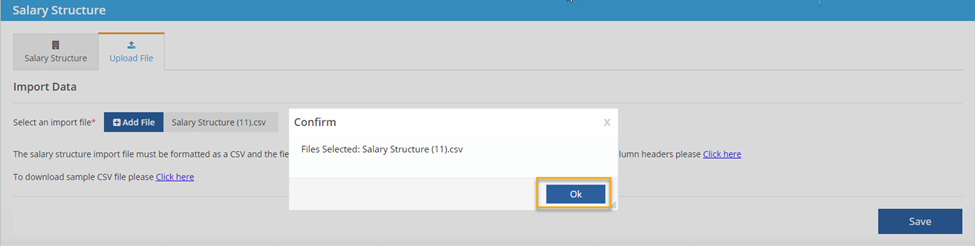
- Ok