![HRPS Logo1.png]](https://knowledgebase.hrperformancesolutions.net/hs-fs/hubfs/HRPS%20Logo1.png?height=50&name=HRPS%20Logo1.png)
Please note, changing a competency in a position will impact all positions that include that competency. It will remove any associated scores and comments, clear the employee/appraiser ready dates, merging, and routing of all appraisals for any employee assigned to that position. We recommend making changes prior to the appraisal cycle starting.
Make sure that there are no scores or comments within the current appraisal for the employee. If there are, we recommend saving a PDF of the appraisal to refer to so the comments/scores can be re-entered into the appraisal, if needed.
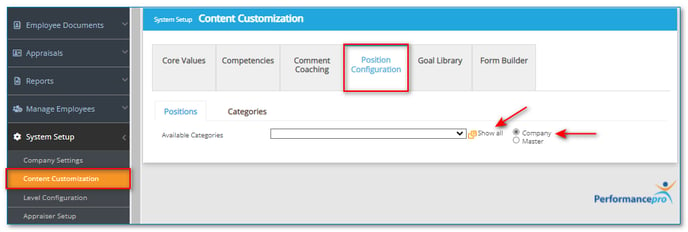
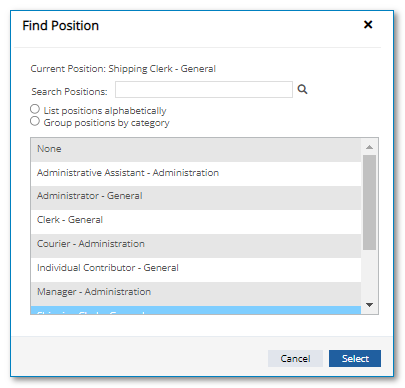
Click System Setup, Content Customization, then Position Configuration. Make sure the Company radio button is selected and search for the position by clicking Show All. Click on the desired position then click Select.
To remove a Competency, click the trash icon beside the Competency. 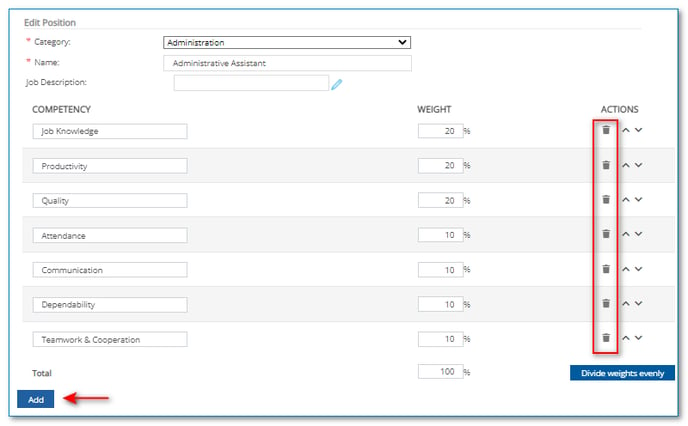
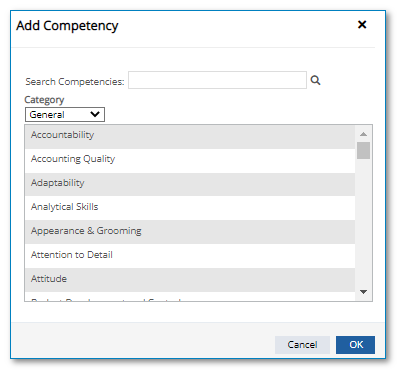
To add a Competency, click Add. From the "Category" dropdown, select the category which contains the desired Competency. Click on the Competency and then OK.
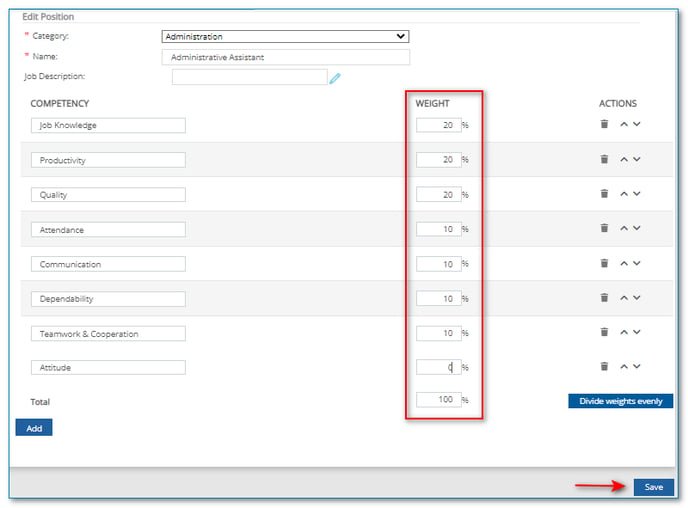
Lastly, adjust the weights between all Competencies to total 100% and click Save.