![HRPS Logo1.png]](https://knowledgebase.hrperformancesolutions.net/hs-fs/hubfs/HRPS%20Logo1.png?height=50&name=HRPS%20Logo1.png)
Resource Center:
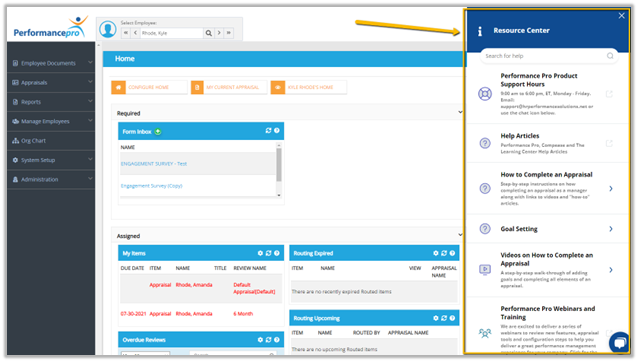
The Resource Center can be accessed by Administrators and Appraisers/Managers by selecting the Resource Center icon along the top toolbar.

Within the Resource Center, Administrators will have the ability to access:
- Product Support Information
- Help Articles from our Knowledge Base
- Step by Step Walk Throughs for Appraisals and Goal Setting
- Video Library
- Recorded Webinar Trainings
Within the Resource Center, Appraisers/Managers will have the ability to access: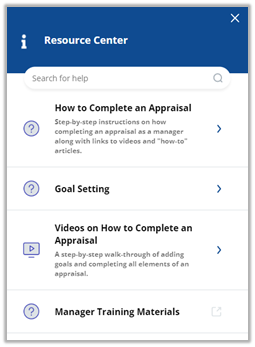
- Manager Training Materials
- Step by Step Walk Throughs for Appraisals and Goal Setting
- Manager Video Library
Additional Resources:
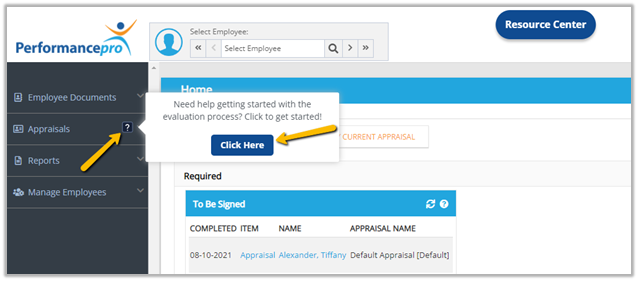
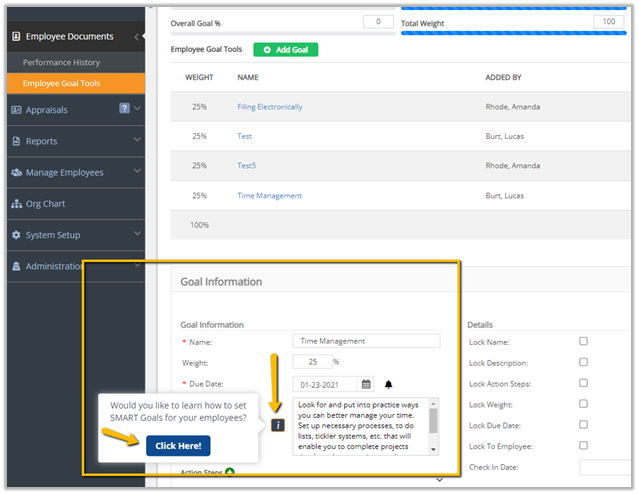
You will notice additional resources throughout the application including Question Marks and Information bubbles to better assist you.
For example, as shown below, a step by step walk through for the appraisal process can be accessed by hovering over the Question Mark bubble on the Appraisals tab.
A Goal Setting walk-through can also be accessed within Employee Goal Tools to assist with SMART Goals.