![HRPS Logo1.png]](https://knowledgebase.hrperformancesolutions.net/hs-fs/hubfs/HRPS%20Logo1.png?height=50&name=HRPS%20Logo1.png)
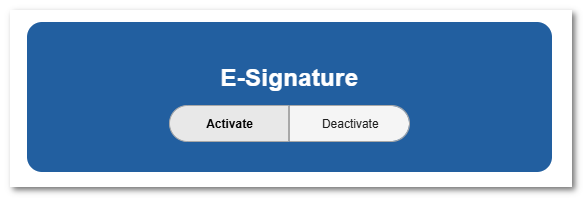
Activate E-signature Feature
Activate the E-signature feature and apply it to the roles that will be e-signing.
System-Wide Time Zone Setting
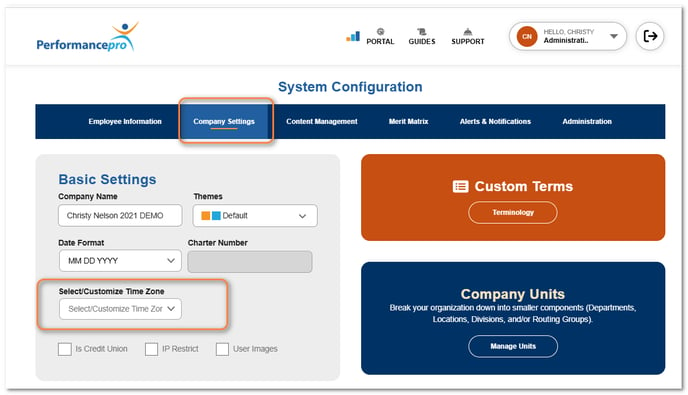
Currently, the time stamp defaults to Eastern Time. Administrators can set a different default time zone that applies to all users from Company Settings. If certain users within the organization are in a different time zone, it can also be set on an individual basis.
NOTE
Time zone options are based on Coordinated Universal Time (UTC). Your time zone is determined by the difference between it and UTC.
Set Time Zone by Individual
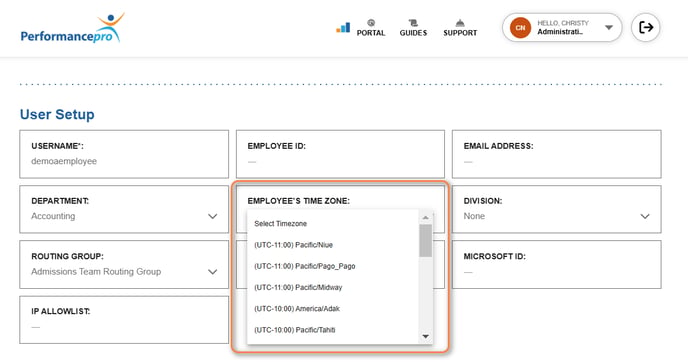
By default, an individual's time zone will either be Eastern Time or the time zone set by the Administrator in Company Settings.
The Time Zone field on the Employee Data screen can be used to assign a different time zone to that user. All e-signatures provided by the user will reflect their assigned time zone.
NOTE
If an Administrator is aliasing as another user and approving a routed item for them, the time zone/time stamp will be that of the person being aliased.