![HRPS Logo1.png]](https://knowledgebase.hrperformancesolutions.net/hs-fs/hubfs/HRPS%20Logo1.png?height=50&name=HRPS%20Logo1.png)
NOTE
Files may be uploaded to an employee's Notes & Documents section in Performance Pro. Common file formats are .doc, .xls, .pdf. The maximum file size accepted is 35MB.
To Upload a File
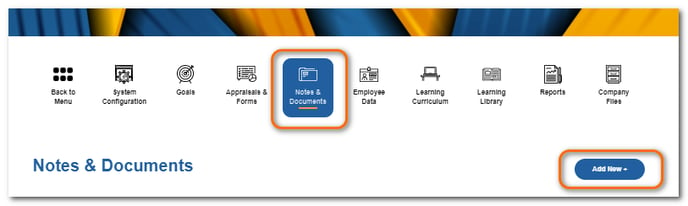
Click Notes & Documents then Add New +.
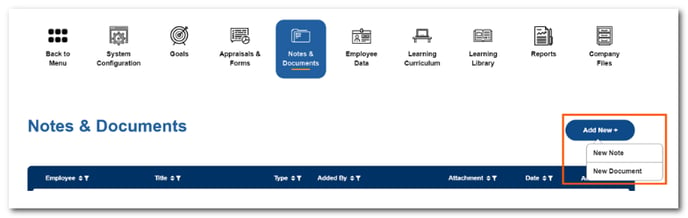
Select New Document.
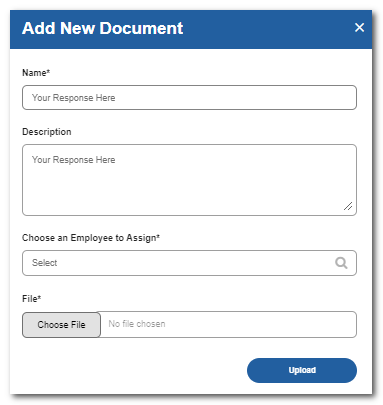
Enter in the document name, description, and choose the appropriate employee to upload it to.
Click Choose File and navigate to and choose the file from your computer/network.
Click Upload.
Select OK.
To Add a Note
Click Notes & Documents then Add New +.
Select New Note.
Choose an employee to assign the note to and complete the title, date, and description fields.

If visible, click Shared and then Notify Employee if you'd like to share the note with the employee. If not visible, check with your Administrator to see if employees can automatically view all notes in their profile.
Click Save Note.