![HRPS Logo1.png]](https://knowledgebase.hrperformancesolutions.net/hs-fs/hubfs/HRPS%20Logo1.png?height=50&name=HRPS%20Logo1.png)
Entering Salary Information
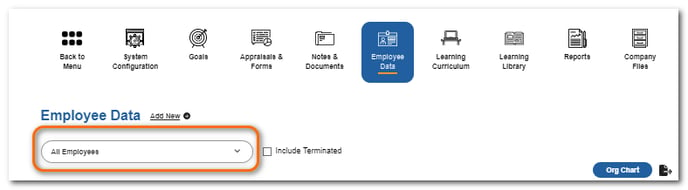
Click Employee Data.

Select the employee.
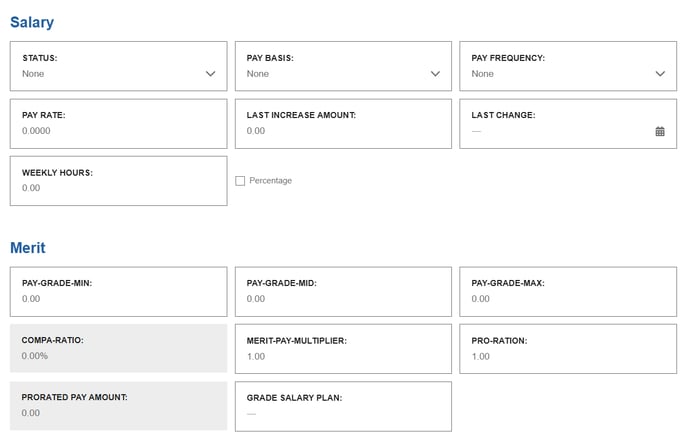
Scroll down to the Salary and Merit sections to enter salary information.
NOTE
The employee's Pay Rate, Pay Grade Min, Pay Grade Mid, and Pay Grade Max fields must be populated for the View & Adjust Merit table to calculate proposed increases. The Merit Pay Multiplier and Pro-Ration fields must contain a 1.00 unless you wish to multiply or prorate an employee's calculated increase, in which case you can enter a different number.
Click Save.