![HRPS Logo1.png]](https://knowledgebase.hrperformancesolutions.net/hs-fs/hubfs/HRPS%20Logo1.png?height=50&name=HRPS%20Logo1.png)
To Disagree with an Appraisal or Form Electronically as the Employee
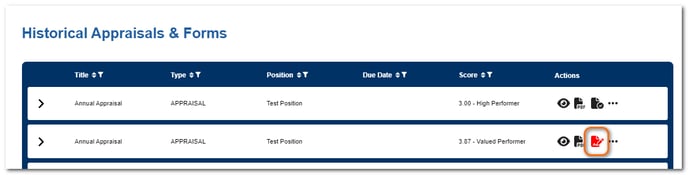
From the Historical Appraisals & Forms table, click the red e-signature icon to sign.
In the pop-up window, click the Disagree radio button and add comments explaining your disagreement.
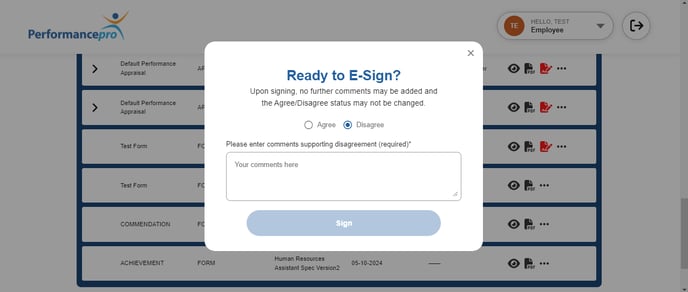
Click Sign.
NOTE
If you print appraisals and forms and have employees sign the paper copies, simply print them, have employees sign in the area at the end of the document, and allow them to attach documentation that explains the reasons for their disagreement.
NOTE
When an employee marks that they agree with the document, leaving a comment is optional. If they mark that they disagree with the document, a comment is required.