![HRPS Logo1.png]](https://knowledgebase.hrperformancesolutions.net/hs-fs/hubfs/HRPS%20Logo1.png?height=50&name=HRPS%20Logo1.png)
The master list contains the competencies with HR Performance Solutions' original language.
To copy a competency from the master list to the company list:
Click System Configuration, then Content Management.
From the Competencies tab, under the Appraisal Content area, click the Master radio button.
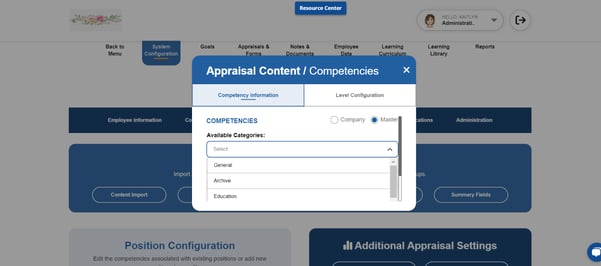
Next, select a category.
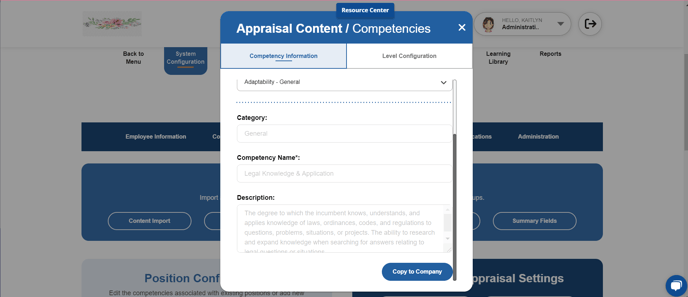
From the Available Competencies dropdown, select the Competency you wish to copy to the Company list.
Click Copy to Company. A warning box appears to verify your selection. Click OK in the pop-up box to confirm.