![HRPS Logo1.png]](https://knowledgebase.hrperformancesolutions.net/hs-fs/hubfs/HRPS%20Logo1.png?height=50&name=HRPS%20Logo1.png)
NOTE: Using the import tool, you can update employee data for multiple employees at a time. Our Client Experience Specialists are available to assist you with an import.
Employee Data
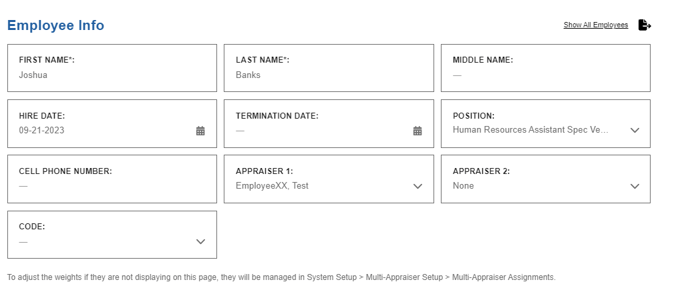
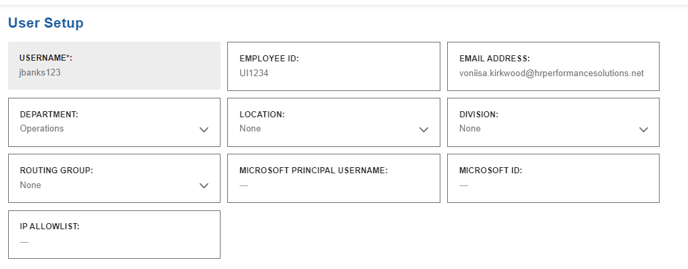
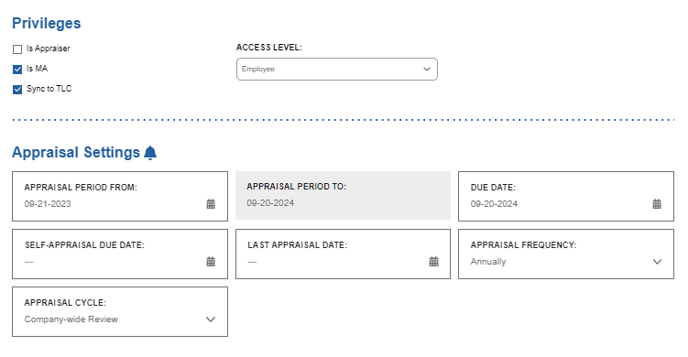
The Performance Pro admin can edit employee data including:
- name
- position
- hire date
- appraiser name(s)
- appraisal dates
- appraisal frequency
- department/location/division
- optional salary and custom fields
- termination date
NOTE
Please review the article "Changing an Employee's Position or Appraiser" for information on how to avoid losing data when changing a position or appraiser.
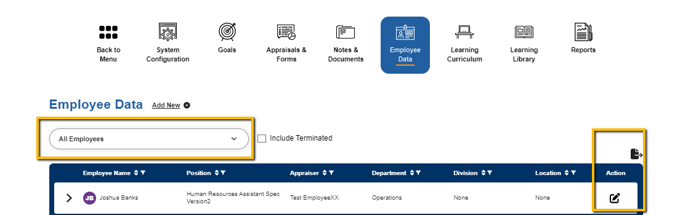
Click Employee Data.

Select the employee and click the Edit Icon in the Action column.
Edit the fields as desired.
Click Save.