![HRPS Logo1.png]](https://knowledgebase.hrperformancesolutions.net/hs-fs/hubfs/HRPS%20Logo1.png?height=50&name=HRPS%20Logo1.png)
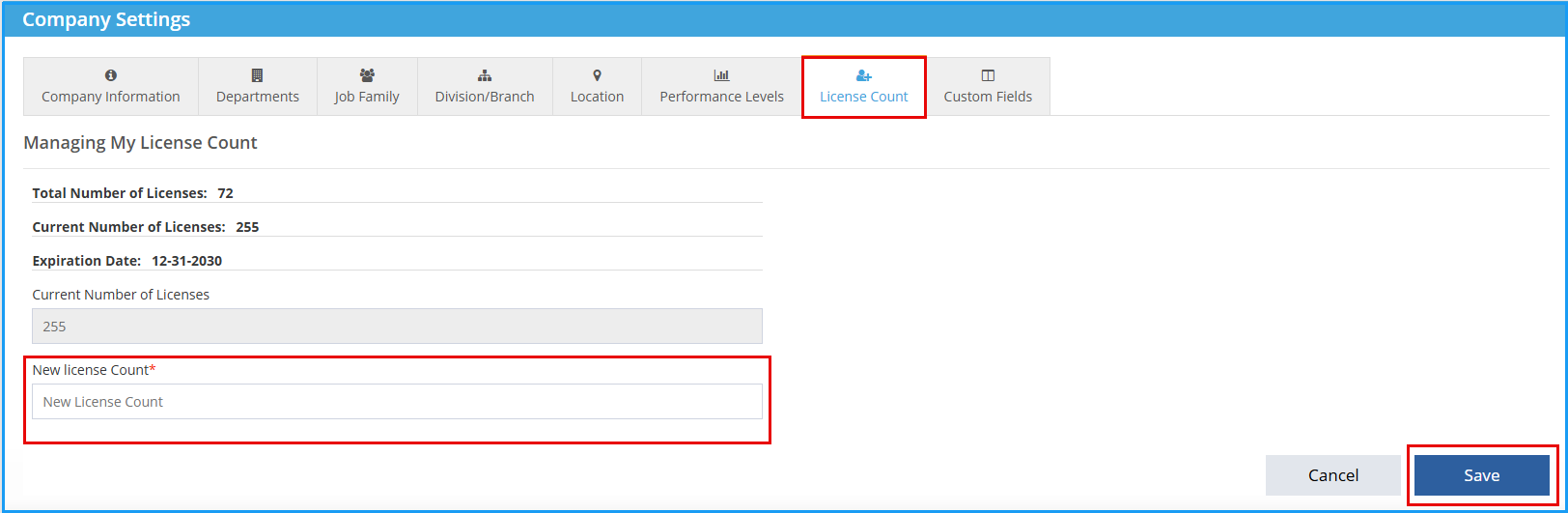
Company Master-->Company Settings-->License Count:
-
Enter New License Count.
-
Click Save.
Additional licenses will be available for use immediately. An invoice for the additional licenses will be sent within a week to the billing email on file. Lowered license counts will be reflected in the next scheduled invoice.