![HRPS Logo1.png]](https://knowledgebase.hrperformancesolutions.net/hs-fs/hubfs/HRPS%20Logo1.png?height=50&name=HRPS%20Logo1.png)
To Import Goals from the Previous Appraisal
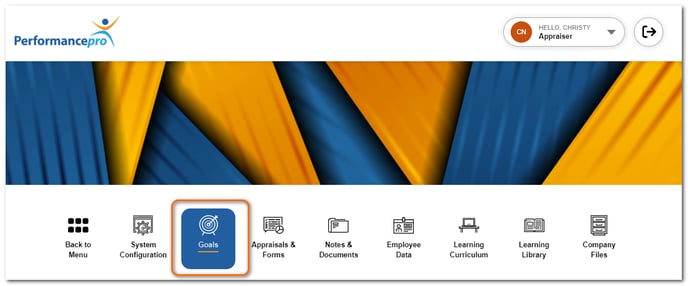
Click Goals.
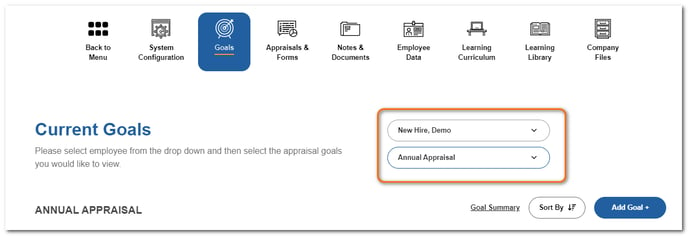
From the Current Goals area, choose the employee and the appraisal you wish to import the goals into.
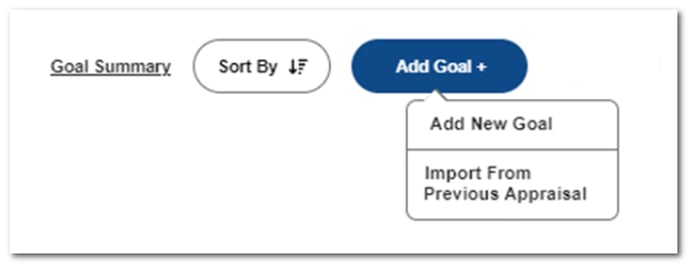
Click Add Goal and then Import From Previous Appraisal.
The goals from the last appraisal will appear.
NOTE
If no goals appear, it means there is either not a completed appraisal, or the last appraisal did not contain goals.
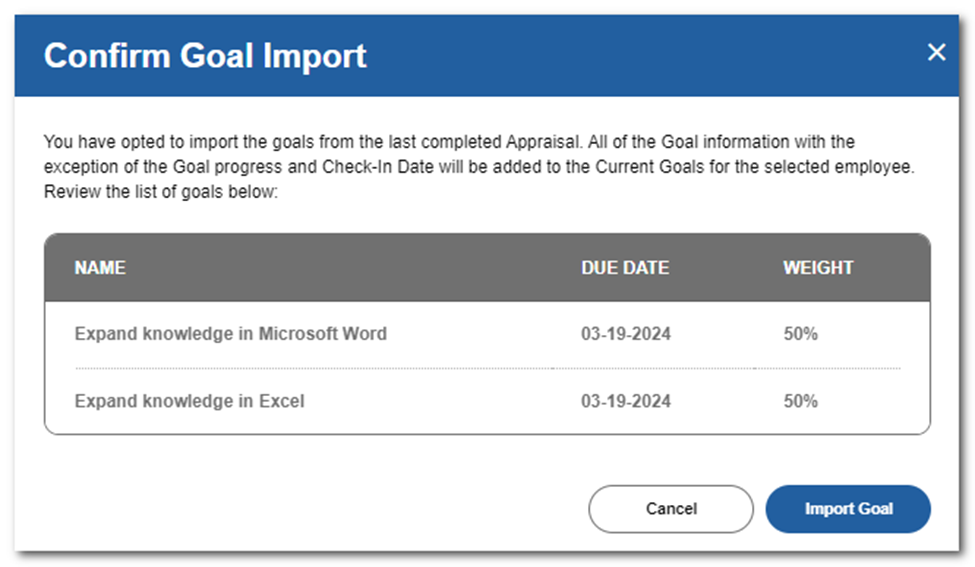
Click Import Goal to confirm.
NOTE
The Import Goal button will import all the goals. The imported goals will then be displayed in the Current Goals area. If there are some that you don't want to be included, you may delete them once they are imported.
TIP
Goal details, such as due dates, must be updated to reflect the new review period. Weights may also need to be adjusted to total 100%.