![HRPS Logo1.png]](https://knowledgebase.hrperformancesolutions.net/hs-fs/hubfs/HRPS%20Logo1.png?height=50&name=HRPS%20Logo1.png)
To start, set your role to Multi-Appraiser.
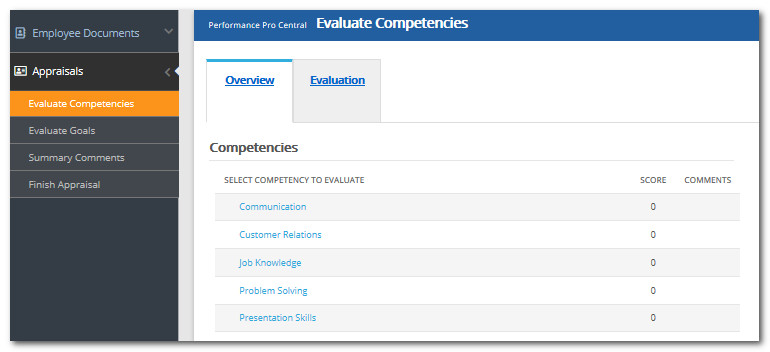
From the main menu, click Appraisals, then Evaluate Competencies.
Select an employee.
Click a Competency.
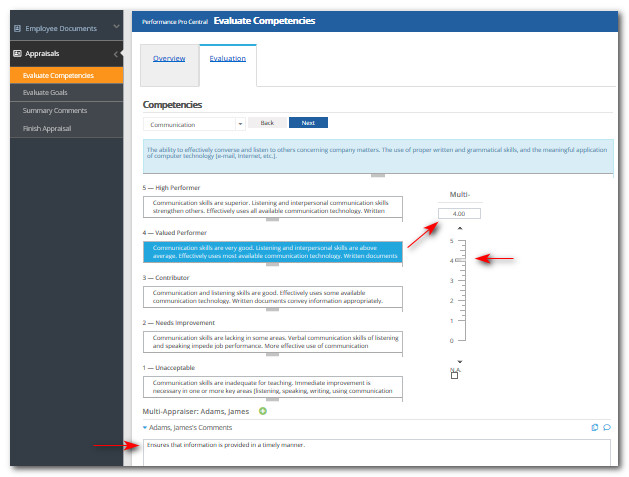
Select the value on the rating scale, slider bar or enter a value in the box above the Multi scoring bar.
If desired, click Compare icon to compare this score to other employees in your downline with the same Competency.
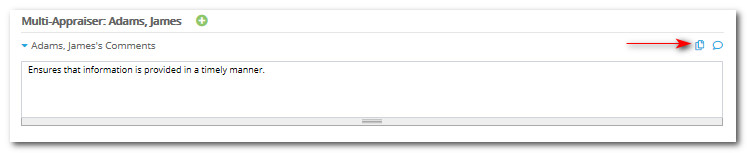
Add a comment (if desired or required.)
If desired, click Comment Coaching icon to view/select comment suggestions.
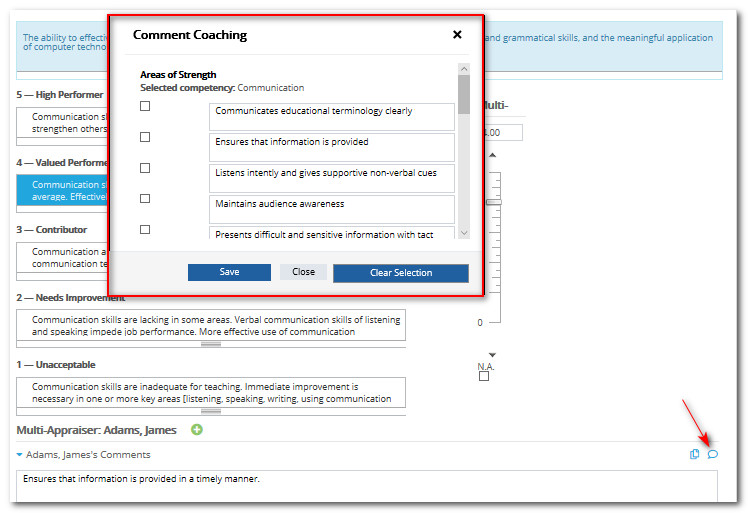
Click check boxes beside the comments you'd like to use. Click Save and they will be inserted in the Multi-Appraiser comment box.
Click Next to proceed to the next Competency.
Did this answer your question?