![HRPS Logo1.png]](https://knowledgebase.hrperformancesolutions.net/hs-fs/hubfs/HRPS%20Logo1.png?height=50&name=HRPS%20Logo1.png)
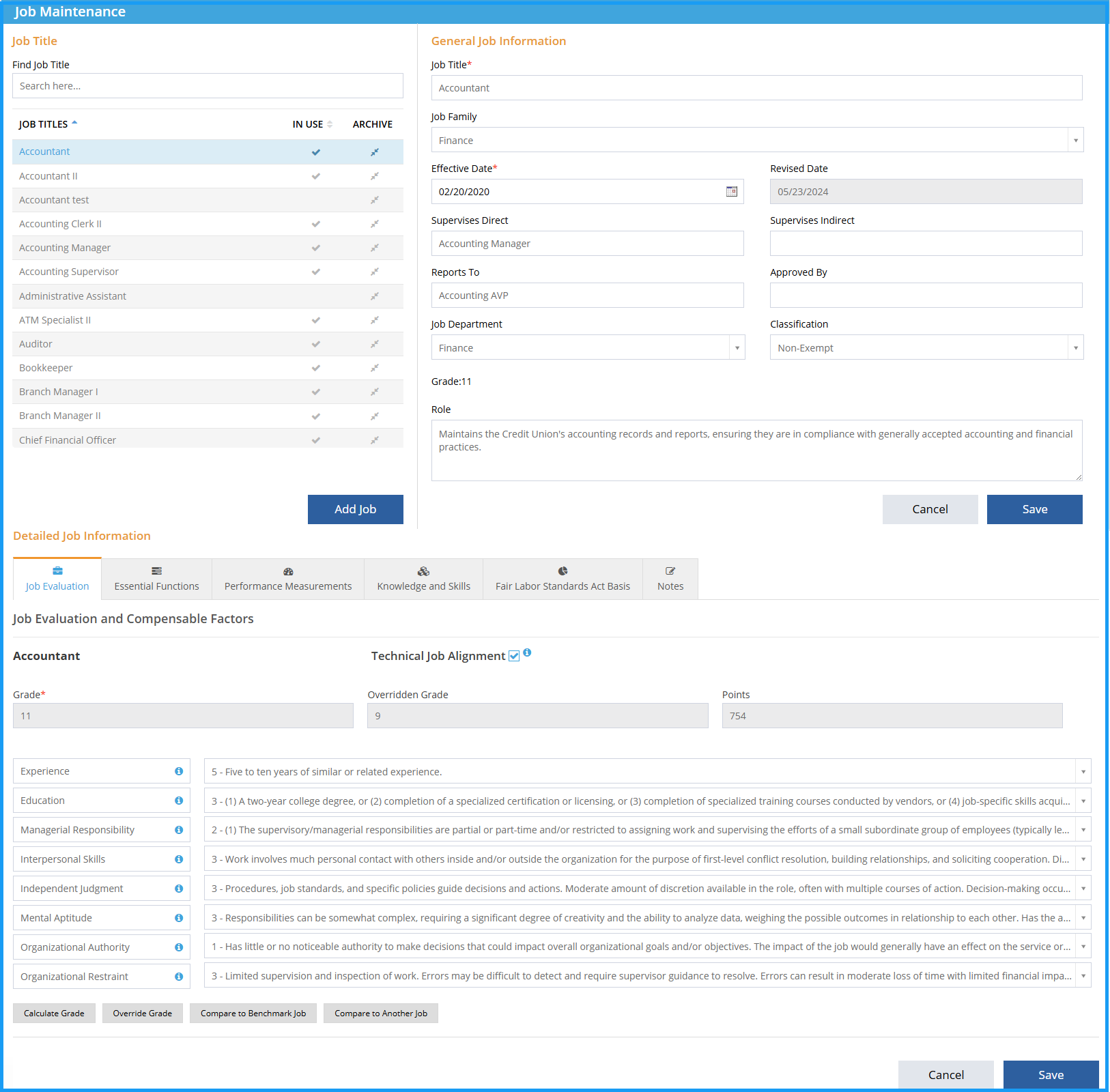
Job Master-->Job Maintenance-->Job Evaluation:
-
Select the Job Title.
-
View the Detailed Job Information.
-
Select degree for each compensable factor.
-
Grade will automatically calculate. Click the Calculate Grade icon to manually calculate.
-
Click Save.
Please Note: Any changes to the General Job Information will need to be saved in the General Job Information section.
See below for a video of these instructions.