![HRPS Logo1.png]](https://knowledgebase.hrperformancesolutions.net/hs-fs/hubfs/HRPS%20Logo1.png?height=50&name=HRPS%20Logo1.png)
Logged in as an appraiser, click Appraisals & Forms.

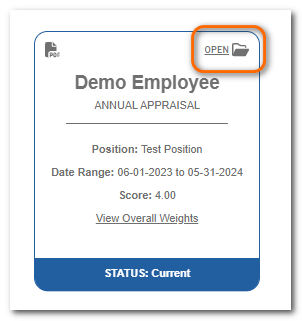
To start or continue the appraisal, click Open on the appraisal card.
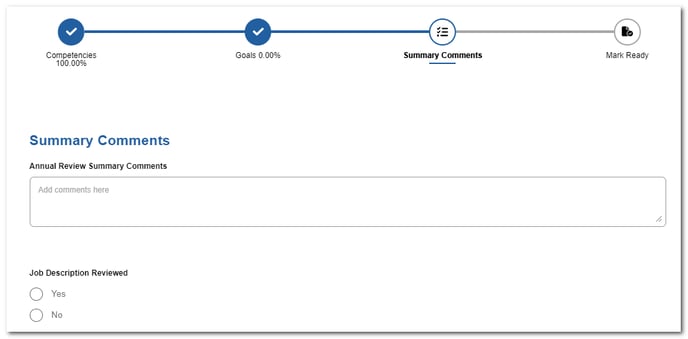
Click Summary Comments.

Populate the available fields.
Note
There may be a variety of fields available such as a check box, drop-down menu, text box, etc.) depending on how your organization has customized this section.
When all items are rated and summary comments are entered, move to Mark Ready to finish the appraisal.