![HRPS Logo1.png]](https://knowledgebase.hrperformancesolutions.net/hs-fs/hubfs/HRPS%20Logo1.png?height=50&name=HRPS%20Logo1.png)
To Edit a Current or Future Goal
Click Goals.
Select an employee and appraisal. Existing goals for that appraisal will display.

Click the 3 dots on the goal you wish to edit then click Edit.
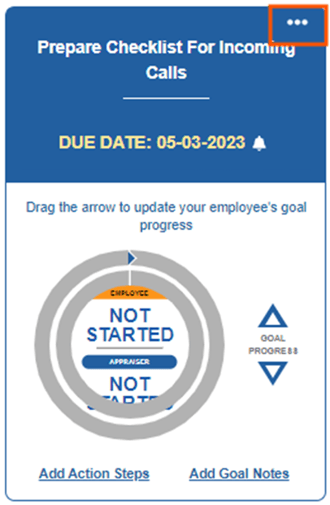
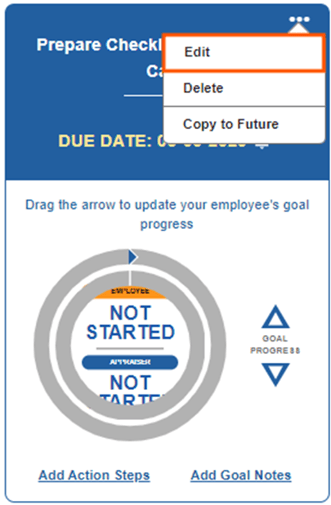
As needed, make changes in the following fields:
- Goal Name
- Due Date
- Check-In Date
- Description
NOTE
If your company includes Goal Progress in the appraisal, a section will appear on the Goals screen where both the employee and their manager can independently mark the progress. Use the up/down arrows or click the inner circle to adjust the percentage of completion. The appraiser will use the outer circle.

Click Save.
NOTE
If a Goal is grayed out or shown as read-only, it may need to be edited through the Goal Library by an Administrator or through My Library.