![HRPS Logo1.png]](https://knowledgebase.hrperformancesolutions.net/hs-fs/hubfs/HRPS%20Logo1.png?height=50&name=HRPS%20Logo1.png)
To Edit a Current or Future Goal
Click Employee Documents.
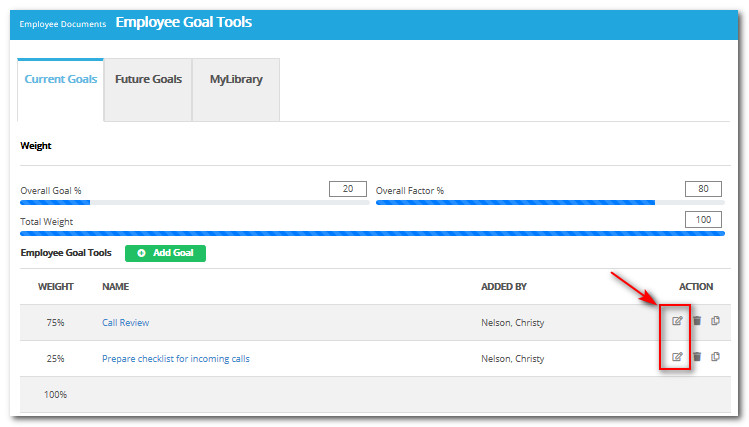
Click Employee Goal Tools.
Select the Current or Future Goals tab.
Click Edit beside the Goal you wish to edit.
Make any necessary changes.
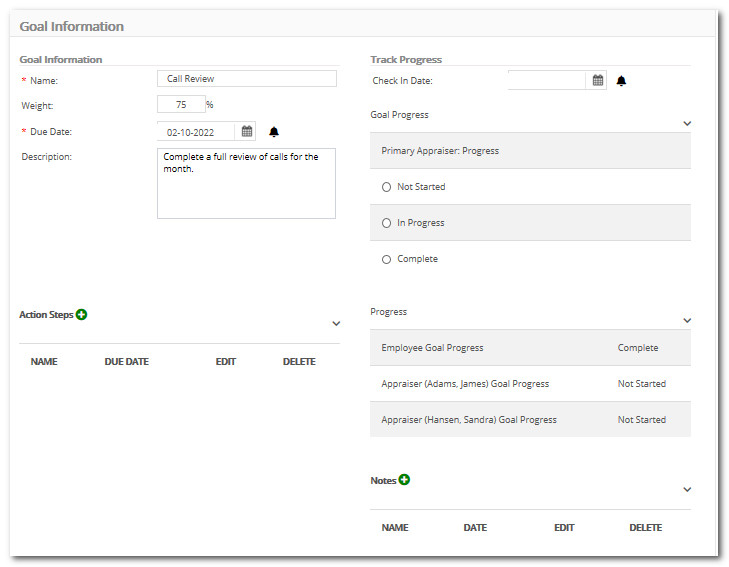
Click Save.
Note: If a Goal is grayed out or read-only in Employee Goal Tools, the Goal may need to be edited through the Goal Library by an Administrator, or through My Library.
Did this answer your question?