![HRPS Logo1.png]](https://knowledgebase.hrperformancesolutions.net/hs-fs/hubfs/HRPS%20Logo1.png?height=50&name=HRPS%20Logo1.png)
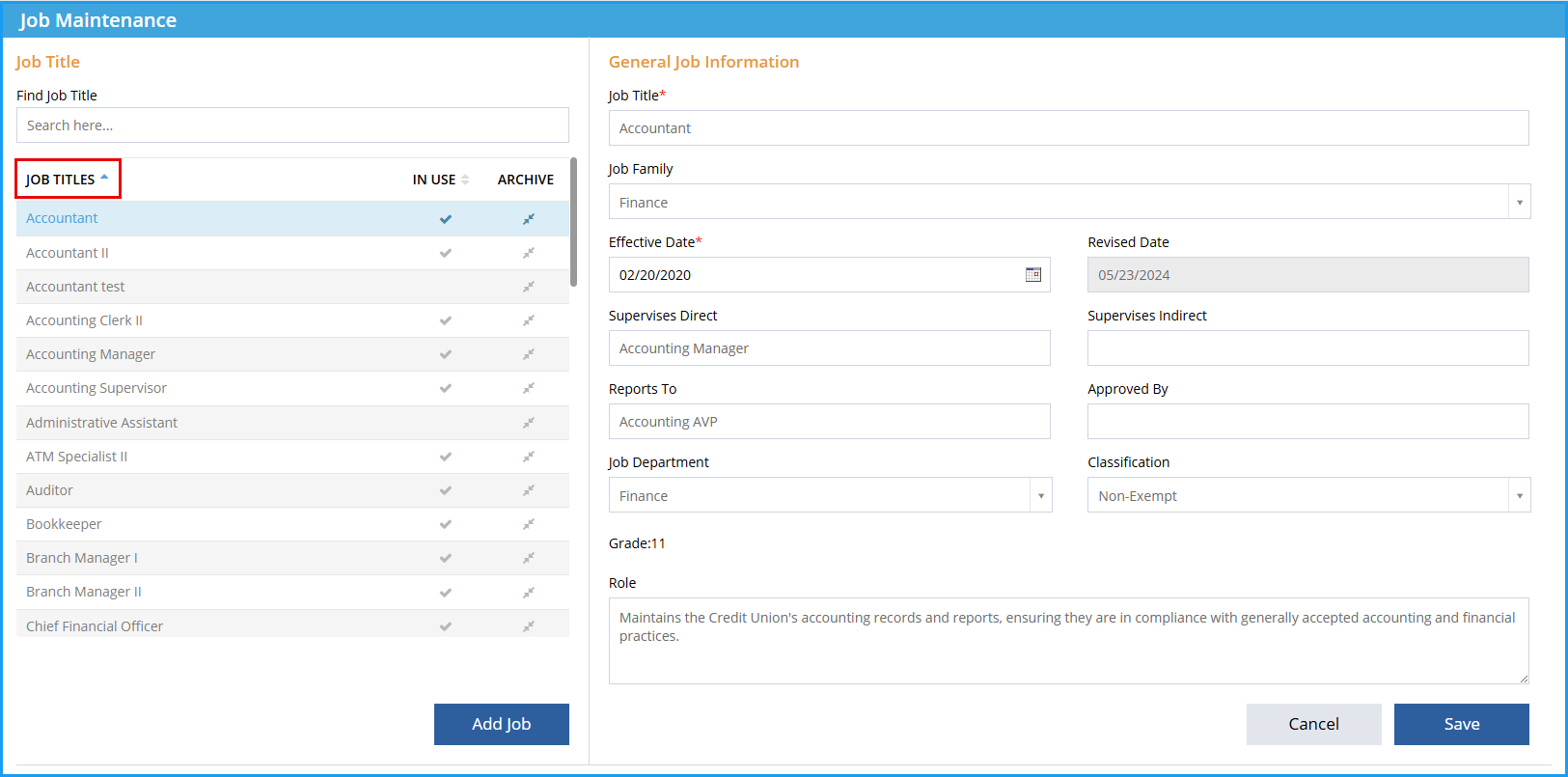
Job Master-->Job Maintenance-->Performance Measurements:
- Select Job title
-
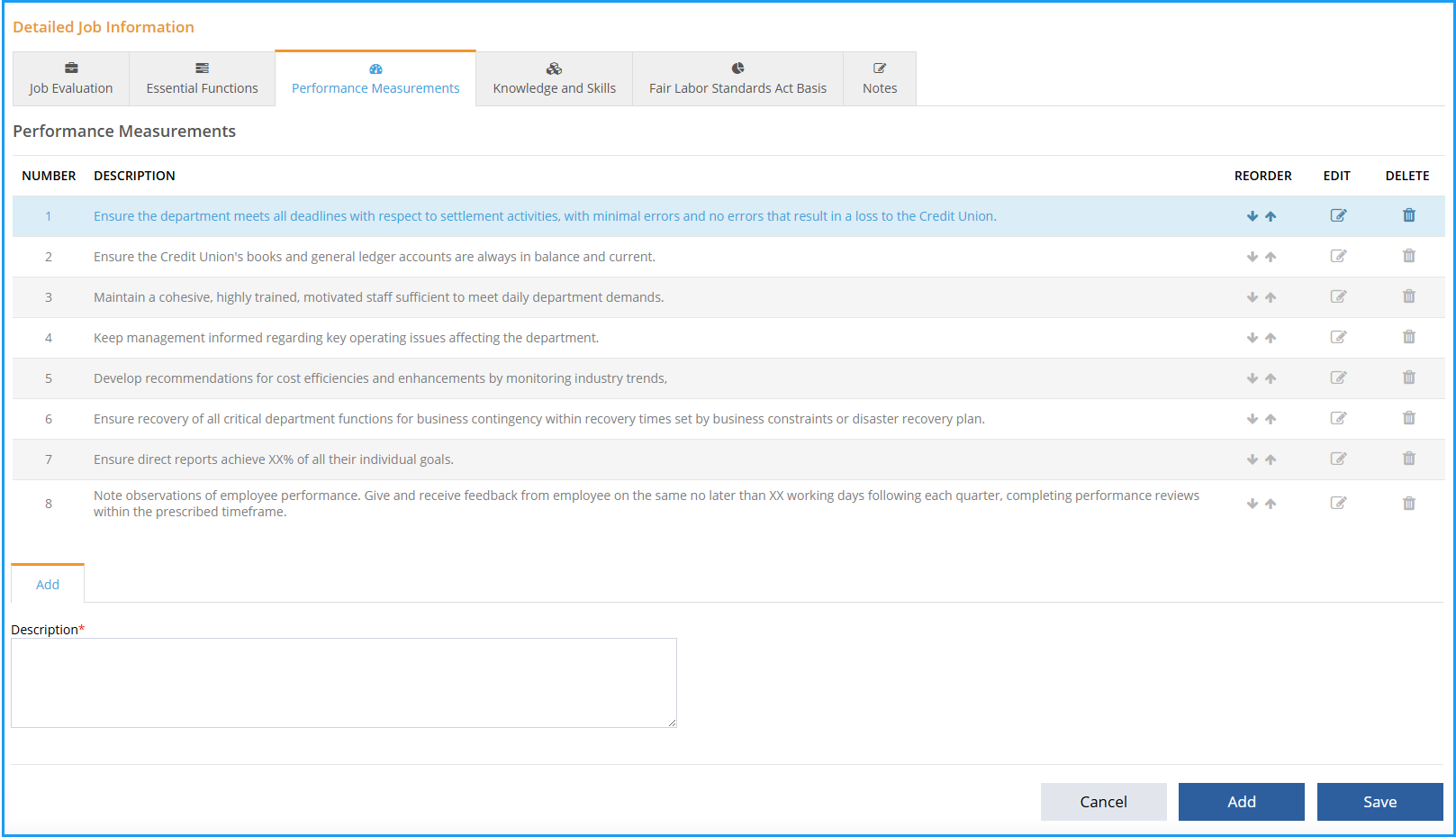
View the Detailed Job Information.
-
The arrow icons move a performance measurement up or down in the order.
-
Click Save icon.
-
To Edit click Edit icon, click Save.
-
To Add click Add icon, click Save.
-
To Delete click Delete icon, click Sav
See below for a video of these instructions.