![HRPS Logo1.png]](https://knowledgebase.hrperformancesolutions.net/hs-fs/hubfs/HRPS%20Logo1.png?height=50&name=HRPS%20Logo1.png)
NOTE
Any customization of performance level titles, descriptions and ranges will apply to all appraisals in the system.
To Customize Performance Level Titles and Descriptions
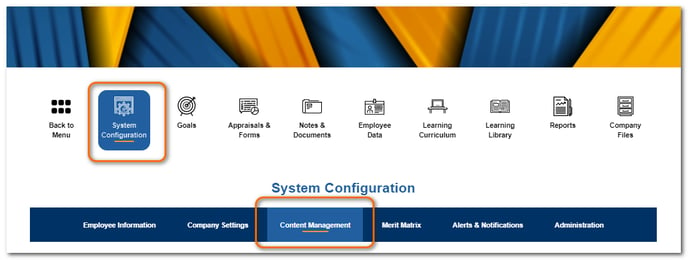
Click System Configuration then click Content Management.
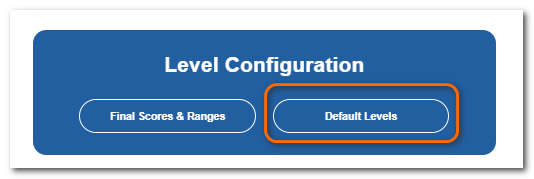
Scroll down to the Level Configuration section. Click Default Levels.
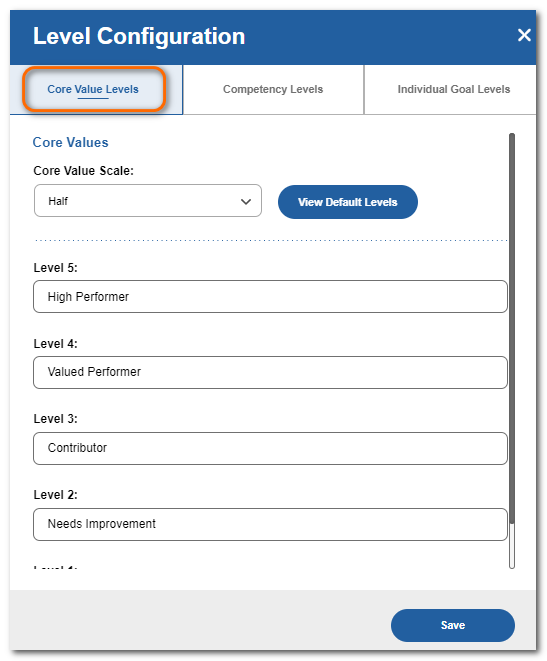
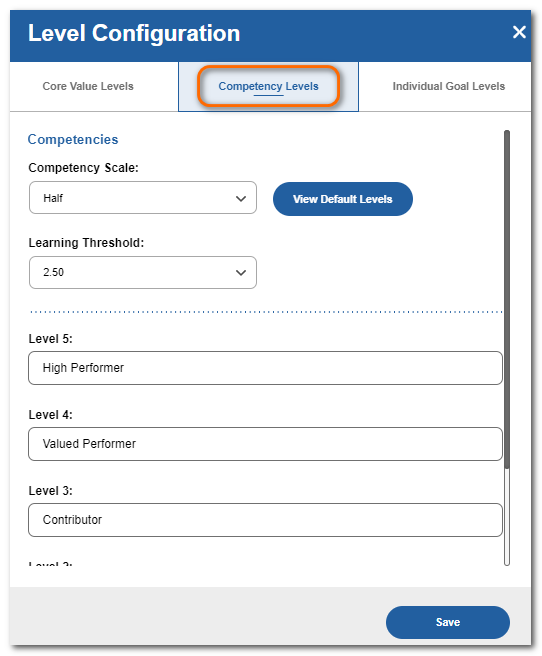
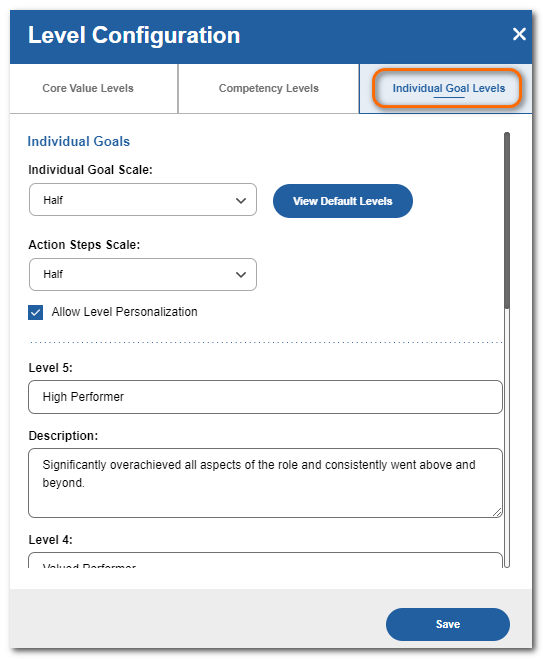
Select the desired tab and make changes as needed. Click Save.
NOTE
If you have Business Goals enabled, you will see separate goal level tabs for Individual Goal Levels and Business Goal Levels. If you don’t have it enabled, you will only see the Individual Goal Levels tab.
To Customize Final Scores & Ranges
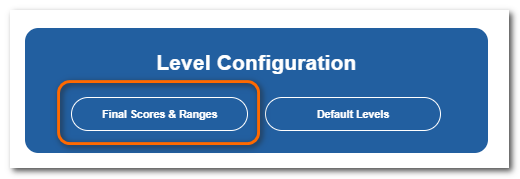
From the Level Configuration section, click Final Scores & Ranges.
Make your changes. Click Save.
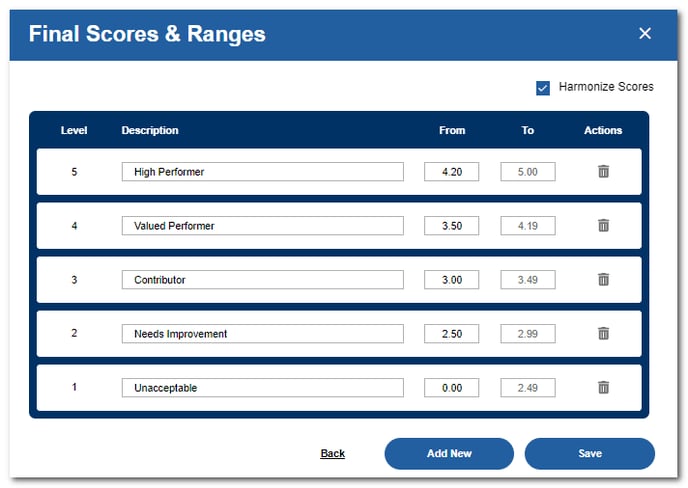
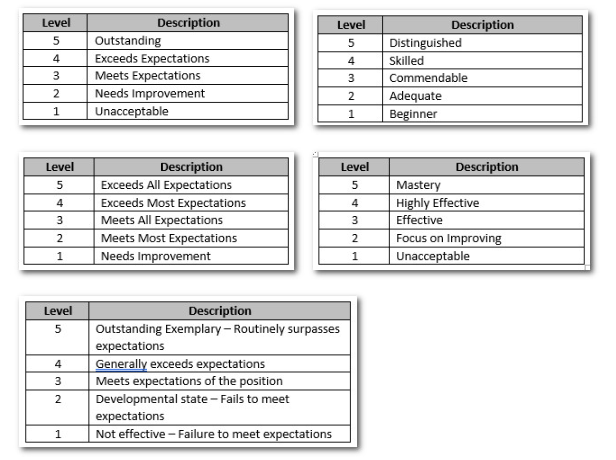
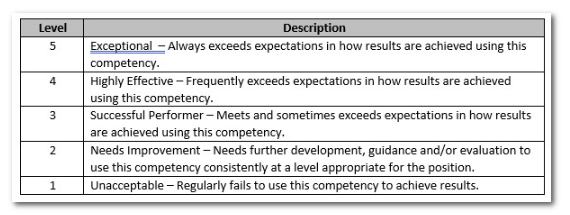
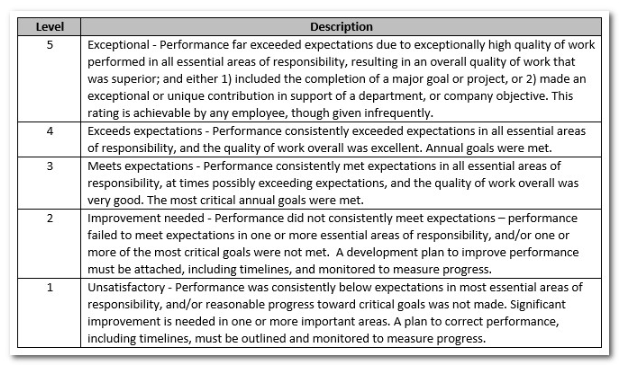
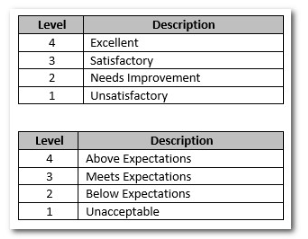
Sample Performance Level Descriptions
Below are some sample titles/descriptions that are different than the standard defaults. These are meant to give you some ideas on other verbiage that could be used.