![HRPS Logo1.png]](https://knowledgebase.hrperformancesolutions.net/hs-fs/hubfs/HRPS%20Logo1.png?height=50&name=HRPS%20Logo1.png)
To provide a follow-up evaluation of a specific classroom course, do the following:
-
Select Schedules from the Admin menu.
-
Make sure the Classroom Checkbox is checked at the top of the data list.
-
Select the student and classroom course for which you want to complete an evaluation.
-
Click Train Eval on the toolbar. One of two screens appears, depending on whether the course has Assigned Knowledge.
-
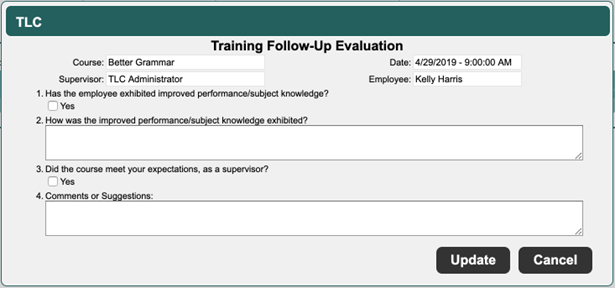
If the course does not have any specific Assigned Knowledge, this screen appears:
-
Answer questions 1 to 4.
-
Click Update to save.
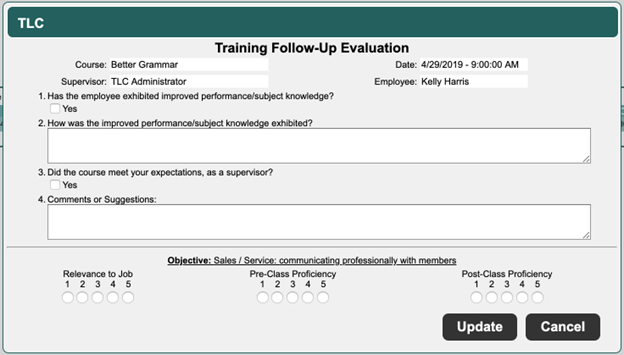
If the course has Assigned Knowledge, this more complex screen appears:
-
Answer questions 1 to 4.
-
In the Objective section, select an answer from 1 to 5 that reflects how well you feel the course met the objective (1 indicates that the course did not meet the objective; 5 indicates that the course met the objective).
-
Click Update to save.