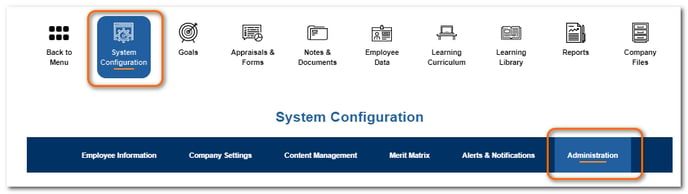
Click System Configuration.
Click Administration.
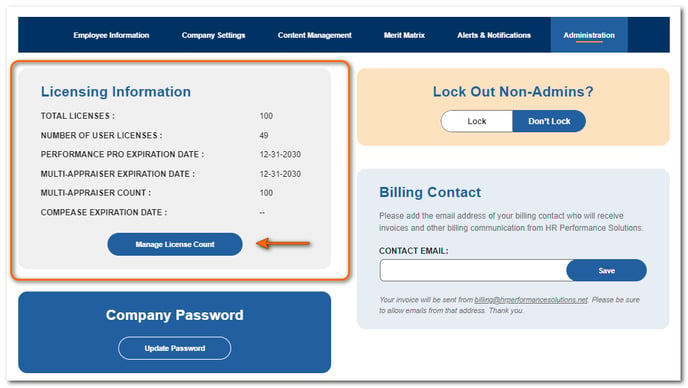
From the Licensing Information section, click Manage License Count.
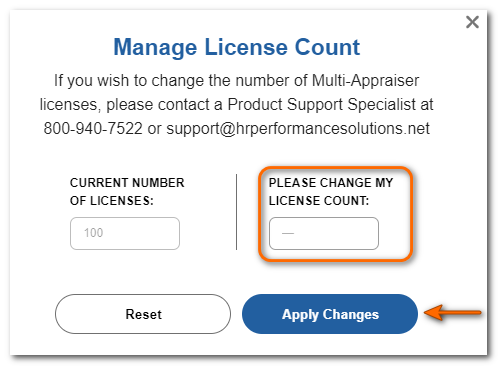
Raise or lower the license count as desired.
Click Apply Changes.
Additional licenses will be available for use immediately.
![HRPS Logo1.png]](https://knowledgebase.hrperformancesolutions.net/hs-fs/hubfs/HRPS%20Logo1.png?height=50&name=HRPS%20Logo1.png)
Click System Configuration.
Click Administration.
From the Licensing Information section, click Manage License Count.
Raise or lower the license count as desired.
Click Apply Changes.
Additional licenses will be available for use immediately.