![HRPS Logo1.png]](https://knowledgebase.hrperformancesolutions.net/hs-fs/hubfs/HRPS%20Logo1.png?height=50&name=HRPS%20Logo1.png)
Click to view the list of Access Level Descriptions.
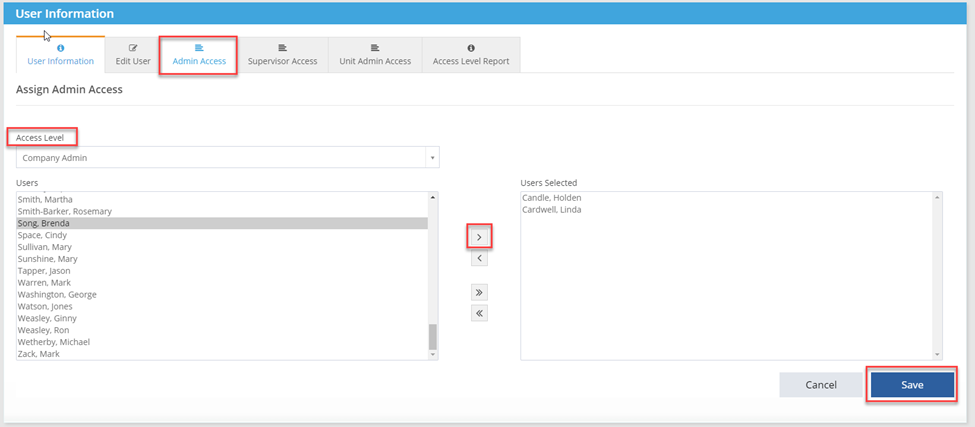
User Security --> User Information --> Admin Access:
- Select Company Admin from the drop down.
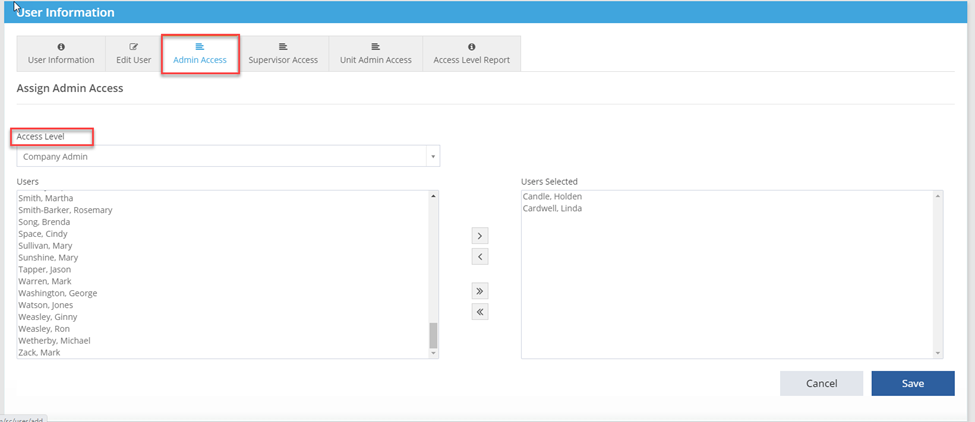
- Select the employee.
- Click single arrow pointing right to move employee to User Selected.
- Click Save
- Users can be assigned multiple access levels. Follow the same steps to assign Supervisor or Unit Admin access.
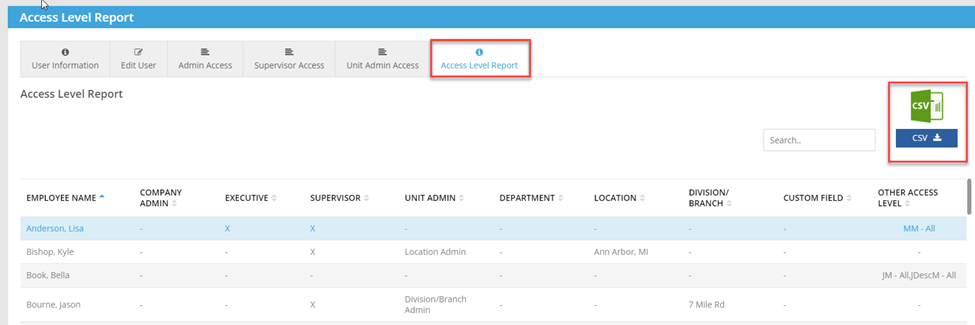
- To view who has access to the application and what access level the users have been assigned, click on the Access Level Report tab.