![HRPS Logo1.png]](https://knowledgebase.hrperformancesolutions.net/hs-fs/hubfs/HRPS%20Logo1.png?height=50&name=HRPS%20Logo1.png)
Aliasing gives the Administrative User the ability to view the screen as if they were that user and, if needed, allows them to make changes as the user would. This is useful when:
- Troubleshooting issues a user is experiencing
- Assisting users with questions
- Uploading an avatar image for another user
NOTE
- An admin cannot alias as another admin user. If this is needed, remove their admin rights, perform the necessary tasks, then give back their admin rights.
- Any changes made while aliased will be linked to the username of the admin user logged in, not the alias.
To Alias as Another User
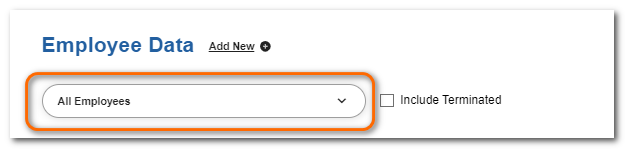
Click Employee Data.

Select the employee.
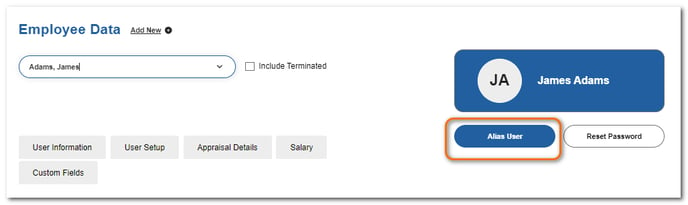
Click Alias User.
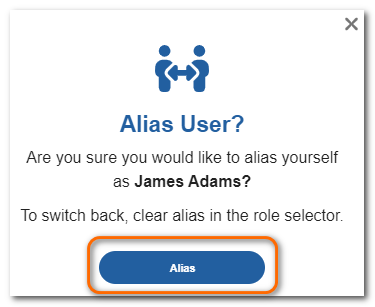
Click Alias.
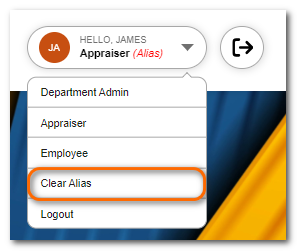
The role area will display the aliased user and the role you are in. You can change the role by clicking it and choosing a different role available to them.
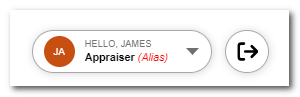
To clear the alias and return to your own login, click the role and choose Clear Alias.
NOTE
While aliased, features visible on the screen will be those available to the user you are aliased as and in their role selected.