![HRPS Logo1.png]](https://knowledgebase.hrperformancesolutions.net/hs-fs/hubfs/HRPS%20Logo1.png?height=50&name=HRPS%20Logo1.png)
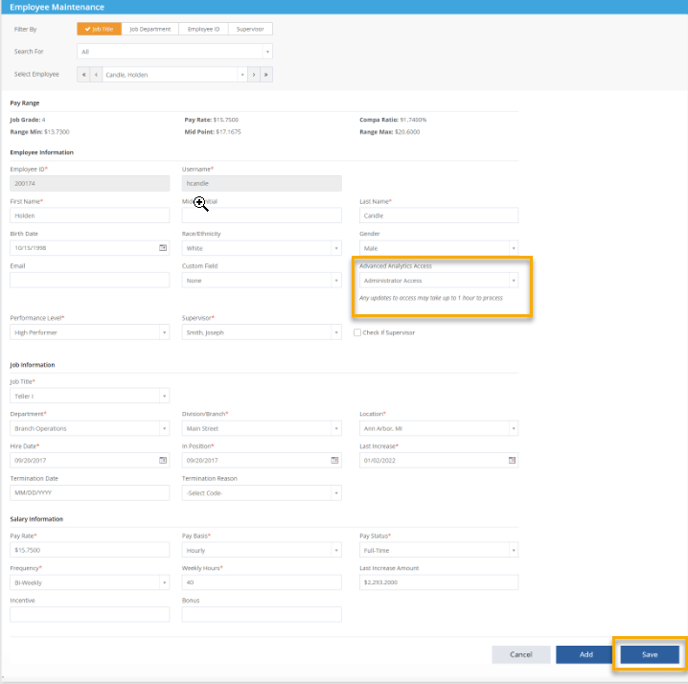
- Employee Master>Employee Maintenance>Select Company Admin Employee>Advanced Analytics Access>Administrator Access>Save.
- Access can take up to 24 hours to process.
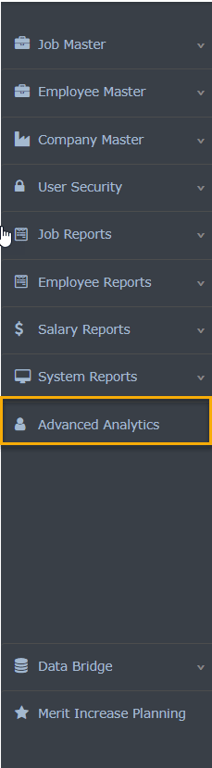
- Once access is processed, the Advanced Analytics icon will populate on the toolbar for those who have access.