![HRPS Logo1.png]](https://knowledgebase.hrperformancesolutions.net/hs-fs/hubfs/HRPS%20Logo1.png?height=50&name=HRPS%20Logo1.png)
-
Select Employees from the Admin menu.
-
Select an employee record.
-
Click Documents on the toolbar. The Documents screen appears.
-
To add a new transcript record, click New on the toolbar, or to edit an existing transcript record, select the record, then click Edit.
-
The Documents screen appears:
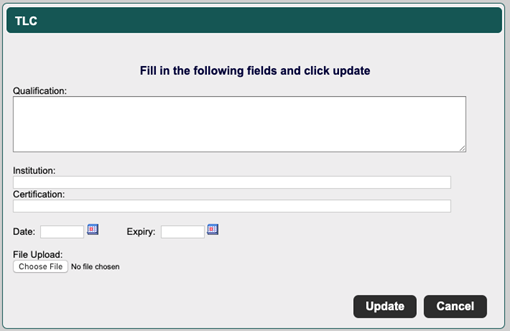
Complete or edit the following fields:
-
Qualification – The name of the specific qualification that you are documenting.
-
Institution – The educational institution the qualification was obtained from.
-
Certification – Any credential or certification that was obtained.
-
Date – The date on which the credential was obtained.
-
Expiry – The date on which the credential expires, if applicable.
-
File Upload – If required, you can upload an external document, such as a certificate of completion.
-
Click Update to save.
To view any documents you uploaded, select the appropriate transcript record, then click View.