![HRPS Logo1.png]](https://knowledgebase.hrperformancesolutions.net/hs-fs/hubfs/HRPS%20Logo1.png?height=50&name=HRPS%20Logo1.png)
Manage Data-->Employee Data-->Add:
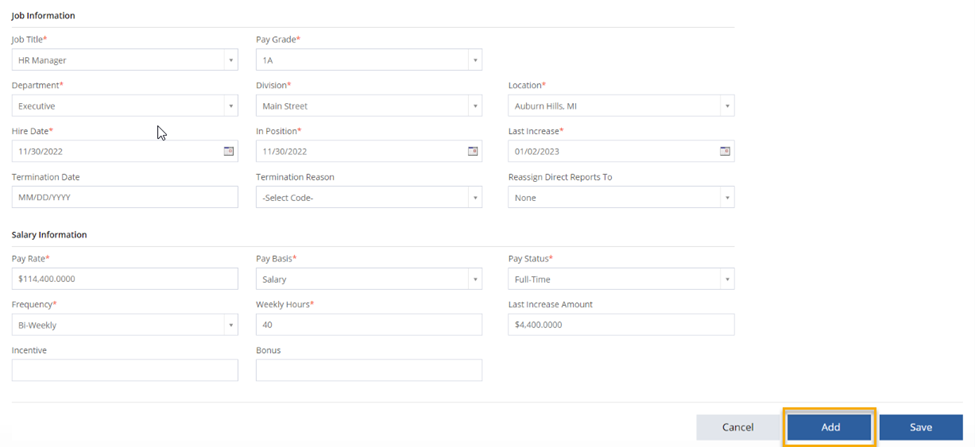
1) Click the "Add" icon.
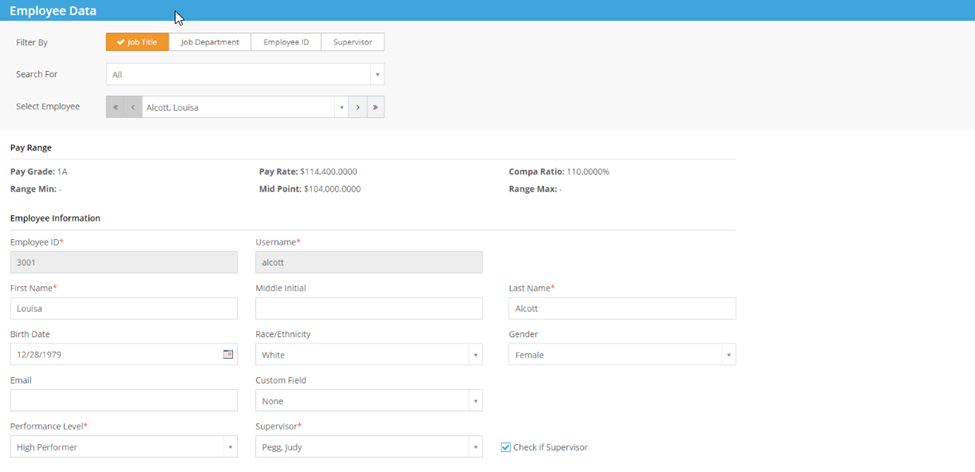
2) Complete fields.
- Fields marked with (*) indicate a required field.
- Supervisor: Check the “Check if Supervisor” box if the employee is a supervisor.
- Job Title/Department/Division/Location/Custom Field: Must be created in Company Settings prior to adding the employee.
- Pay amounts:
- Non-Exempt: Enter an hourly amount.
- Exempt and Executive: Enter an annual amount.
5) Click the “Save” icon.