![HRPS Logo1.png]](https://knowledgebase.hrperformancesolutions.net/hs-fs/hubfs/HRPS%20Logo1.png?height=50&name=HRPS%20Logo1.png)
NOTE
If the Allow Routing Notes setting is enabled, prior to assigning a routing response, you may add a note for the appraiser giving them additional instruction, guidance, and/or feedback separate from the document.
To add a routing note, click Appraisals & Forms.

From the card, click Add Note.
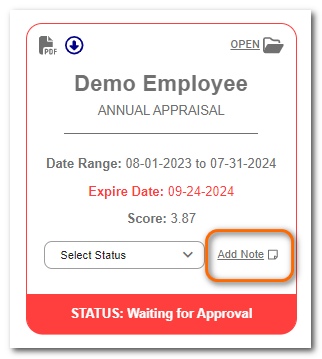
Enter the desired information.
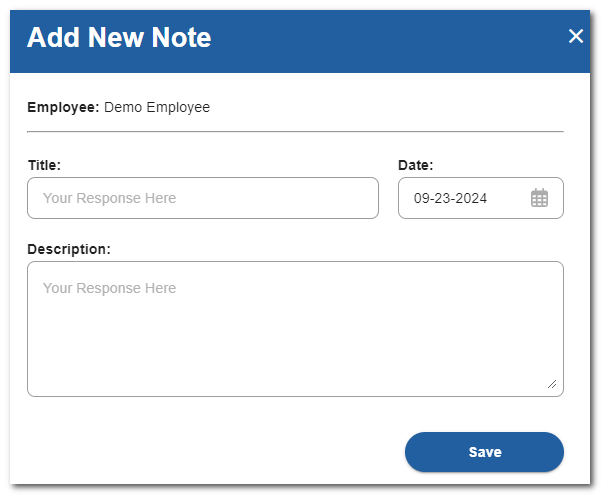
Click Save.
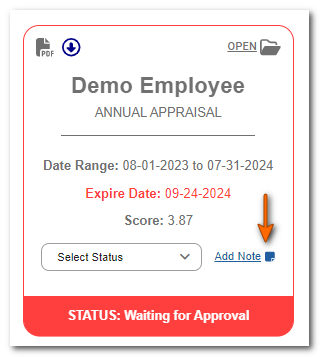
Once a Note is added, the note icon will turn blue.
NOTE
Routing notes are always confidential. They are never shared with the employee and can only be seen by the employee's appraiser(s), uplines or admins.