![HRPS Logo1.png]](https://knowledgebase.hrperformancesolutions.net/hs-fs/hubfs/HRPS%20Logo1.png?height=50&name=HRPS%20Logo1.png)
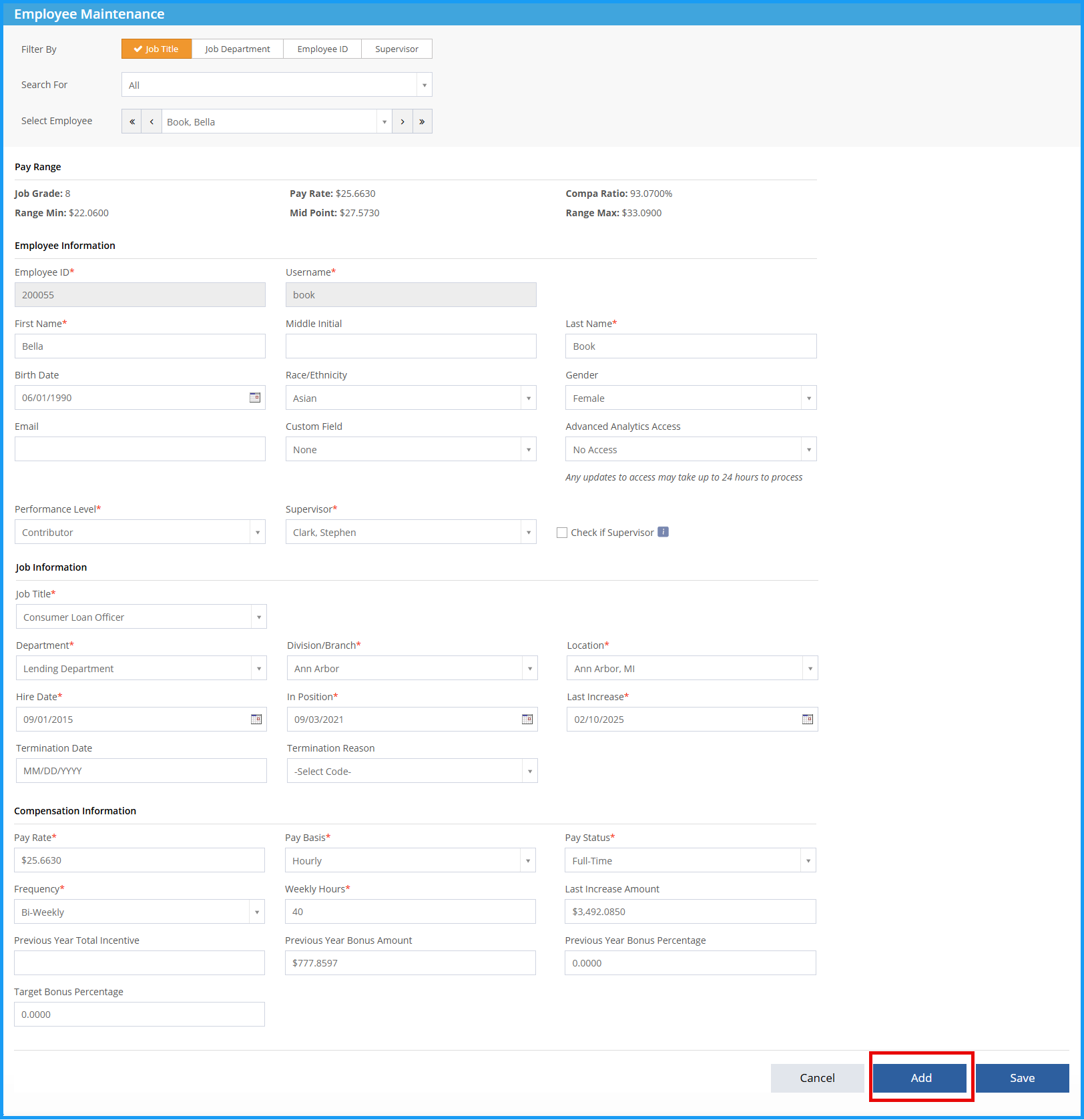
Employee Master-->Employee Maintenance-->Add:
-
Click Add from any current employee record.
-
Fill out each desired field. Fields marked with (*) indicate a required field. If the individual will be a Supervisor, check the Check if Supervisor box so that the individual’s name will appear in your list of supervisors to assign to other employees. Note: If you are integrated with Performance Pro, you will add the employee into Performance Pro before it can be transferred to Compease.
-
If you are assigning an employee to a new position, make sure you’ve created and graded that job title prior to adding the employee.
-
For pay information, list hourly employees as an hourly amount and salaried employees as an annual amount.
- Click Save.

See below for a video of these instructions.