![HRPS Logo1.png]](https://knowledgebase.hrperformancesolutions.net/hs-fs/hubfs/HRPS%20Logo1.png?height=50&name=HRPS%20Logo1.png)
Performance Pro accommodates a pay-for-performance (merit pay) philosophy which can be used to help make consistent pay changes across your organization. Calculations are based on the employee's Performance Level and position in salary range.
To Activate the Merit Increase Function
Click System Setup.
Click Company Settings.
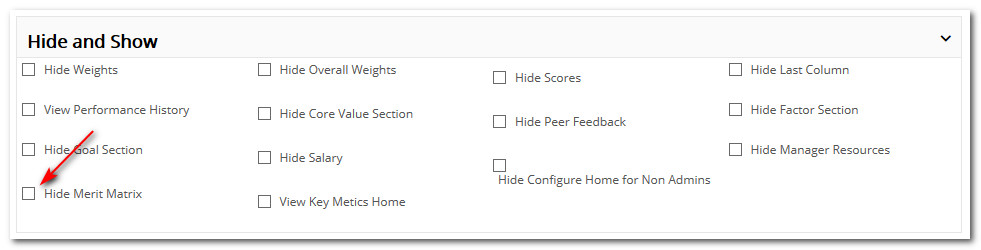
Uncheck Hide Merit Matrix.
Click Save.
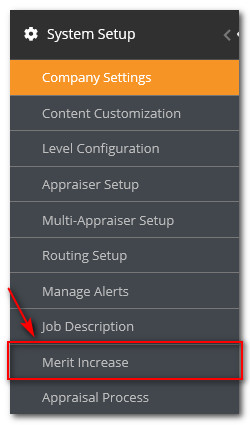
Once this is done, a Merit Increase option will appear in the main menu under System Setup.
Did this answer your question?