![HRPS Logo1.png]](https://knowledgebase.hrperformancesolutions.net/hs-fs/hubfs/HRPS%20Logo1.png?height=50&name=HRPS%20Logo1.png)
To Activate the Job Description Feature
Click System Configuration.
Click Company Settings.

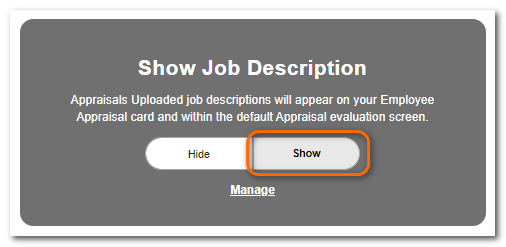
Scroll to the Show Job Description area.
Click Show.
Click Save.
TIP
Refer to "Uploading Job Descriptions and Linking to Positions" for information on uploading and linking.