
- HR Performance Solutions Help Articles
- Release Notes
- Performance Pro Release Notes
-
The Learning Center
-
Performance Pro
- Administration / Manage Users
- Appraisals/Finish Appraisals
- Employee Documents / Performance History
- Performance Pro Home Screen
- Appraisal
- Employee Documents
- Administration
- System Setup
- Manage Employees / Employee Data
- Manage Employees
- Performance Pro Home Screen / Home Page
- System Setup / Content Customization
- System Setup / Manage Alerts
- System Setup / Routing Setup
- System Setup / Company Settings
- Webinar Materials
- Appraisal / Finish Appraisal
- Administration / Storage
- Advanced Analytics
- Launching Performance Pro
- Settings
-
Performance Pro - Admin User - New Interface
- Performance Pro System Configuration - New Interface
- Performance Pro - Employee Information - New Interface
- Performance Pro - Company Settings - New Interface
- Performance Pro - Content Management - New Interface
- Performance Pro - Merit Matrix - New Interface
- Performance Pro - Alerts and Notifications - New Interface
- Performance Pro - Administration - New Interface
-
Compease
- Compease FAQs
- Merit Increase Planning
- Compease Reports
- Job Master / Job Maintenance
- Data Bridge
- User Security
- Company Master
- Job Master / Salary Survey
- Employee Master / Employee Maintenance
- Job Master / Archived Jobs
- Employee Master / Archived Employees
- Common Functions
- Compease Training
- Compease Integration with Performance Pro
-
Commonly Asked Questions
-
Release Notes
-
Data Integration
-
Performance Pro Manager Training
-
Performance Pro Employee Training
-
Manager Resources
-
Compease Starter
-
Performance Pro - Manager Training - New Interface
-
Performance Pro - Employee Training - New Interface
-
The Learning Center - Employee Training - New Interface
-
The Learning Center – Manager Training – New Interface
-
The Learning Center - Administrator Training - New Interface
Performance Pro Update v3.19.7
Released on August 15, 2019
This release contains several small changes to a variety of features as detailed below.
System Time-Out Message
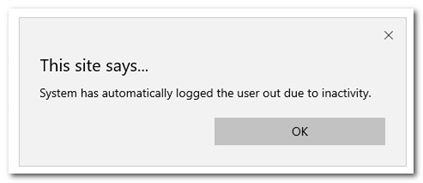
If the system times out due to inactivity, a pop-up message will now appear when you return to Performance Pro, advising that you have been logged out due to inactivity.
Two New Themes in the Color Palette
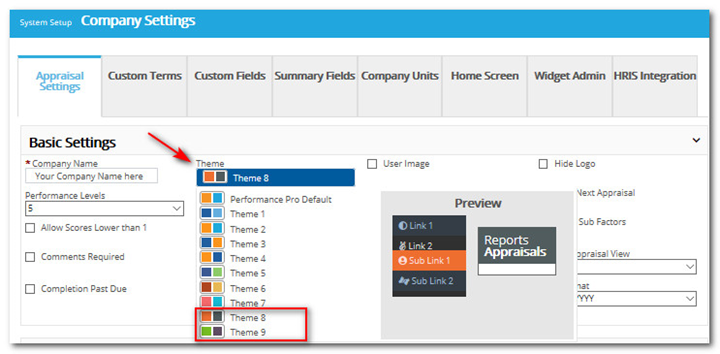
Two new choices - orange/grey and green/brown - have been added to the “Theme” selection dropdown in System Setup > Company Settings > Appraisal Settings.
Hide the Performance Pro Logo
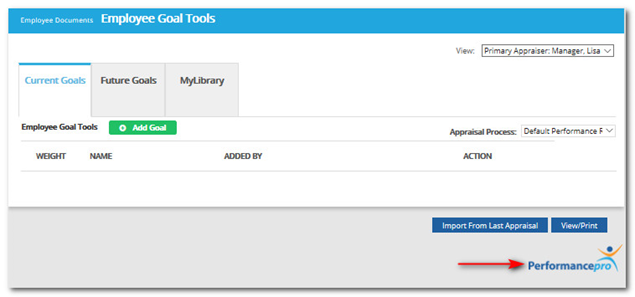
Administrative Users now have the ability to hide the Performance Pro logo that appears at the bottom of all Performance Pro screens.
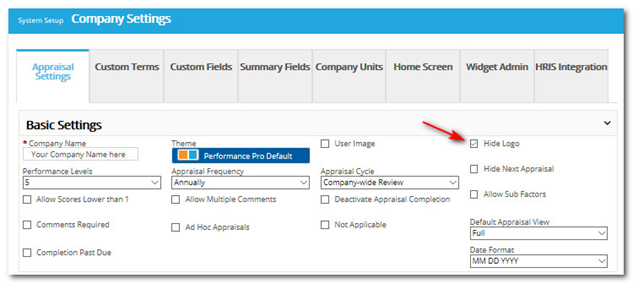
Click the Hide Logo checkbox on the System Setup > Company Settings > Appraisal Settings tab and then click Save at the bottom of the screen.
Reports
Employee Information Detailed Report
In the past, the “Employee Information Detailed Report” was limited to 500 employees. With this release, there is no longer a limit to the number of employees it can contain.
Routing Group Added to Reports
A Routing Group column has been added to the following Employee reports:
-
Employee Information (Simple)
-
Employee Information (Detailed)
-
Assignment
Assign Routing Group Admin Through Import
Routing Group Admin is now an Access Level field that can be assigned through the Import feature.
Hide Appraisal Process Tab
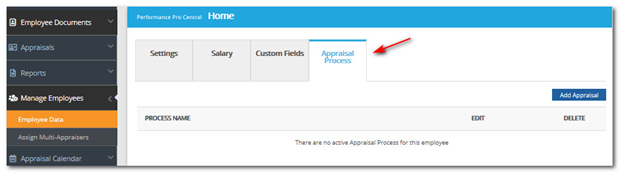
Administrative Users now have the ability to hide the “Appraisal Process" tab from Appraisers. This tab is found under Manage Employees > Employee Data > Appraisal Process.
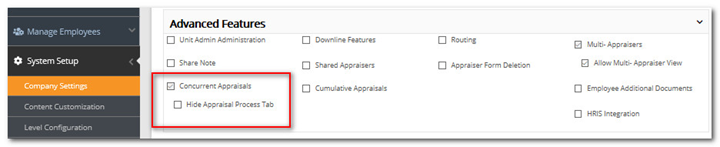
To hide the tab, click the Hide Appraisal Process Tab checkbox that is found under System Setup > Company Settings > Appraisal Settings > Advanced Features. The checkbox will not display unless “Concurrent Appraisals” is activated.
Did this answer your question?